Integrated Operations User Guide

Whether you are using a computer, WeChat mini program, or mobile APP,
we have prepared detailed operation steps for you.
Whether you are using a computer, WeChat mini program, or mobile APP,
we have prepared detailed operation steps for you.

Please select the platform you are using

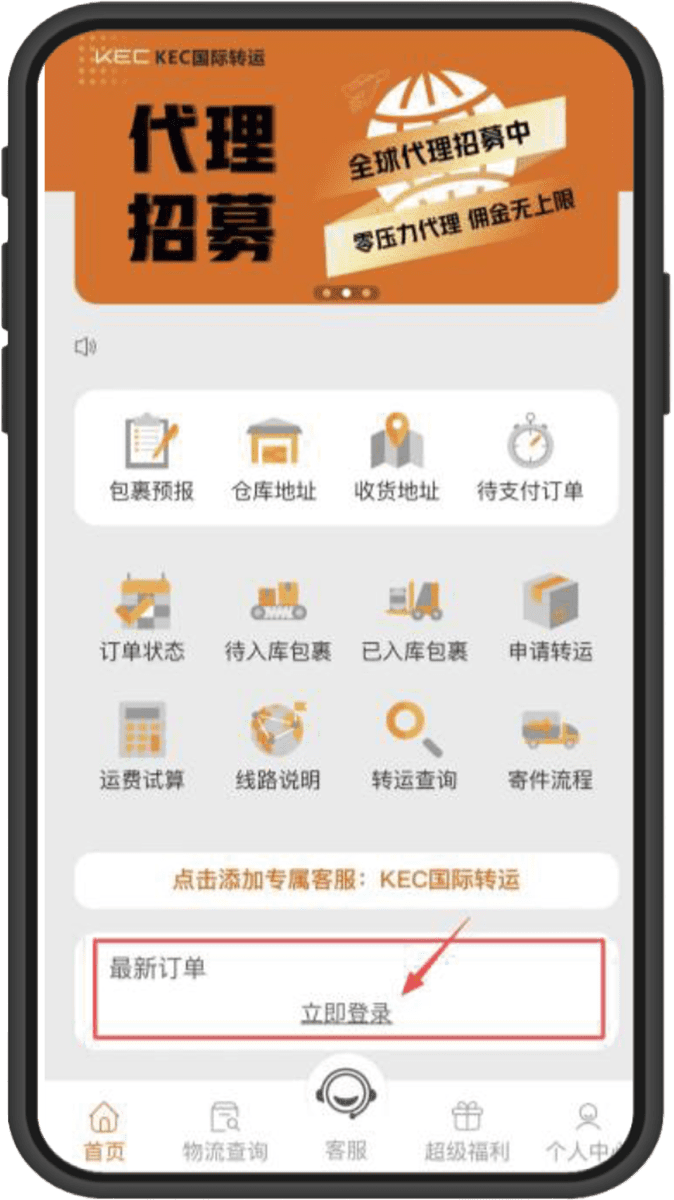
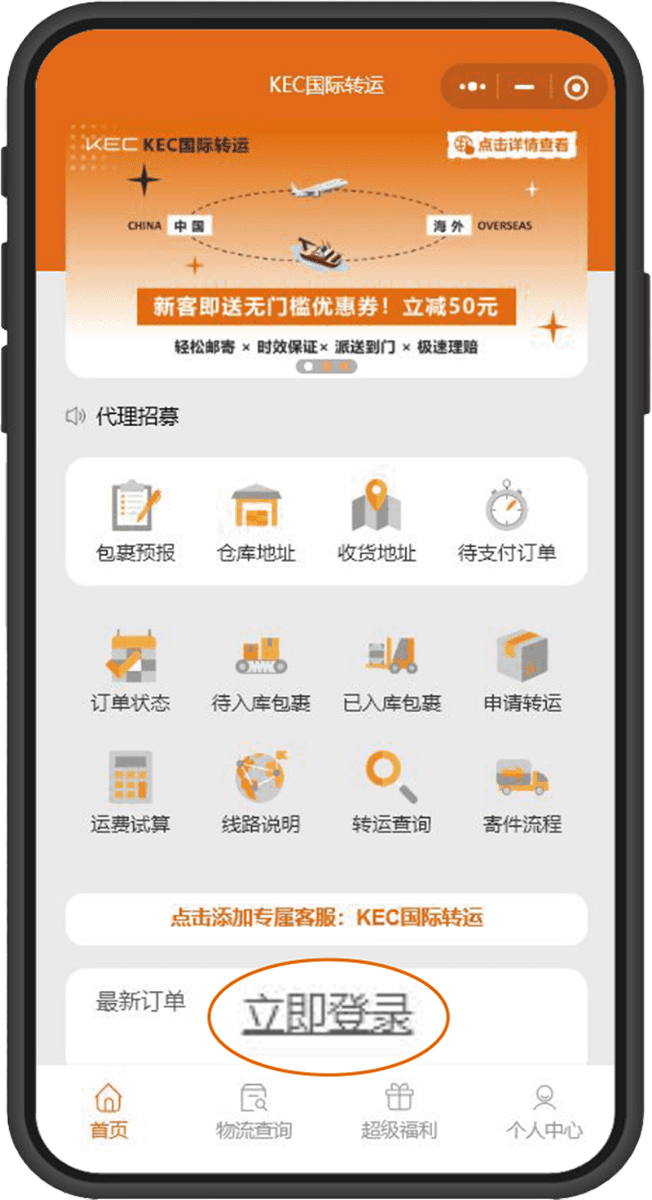
➊ Select Mini Program Homepage
“Login Immediately”
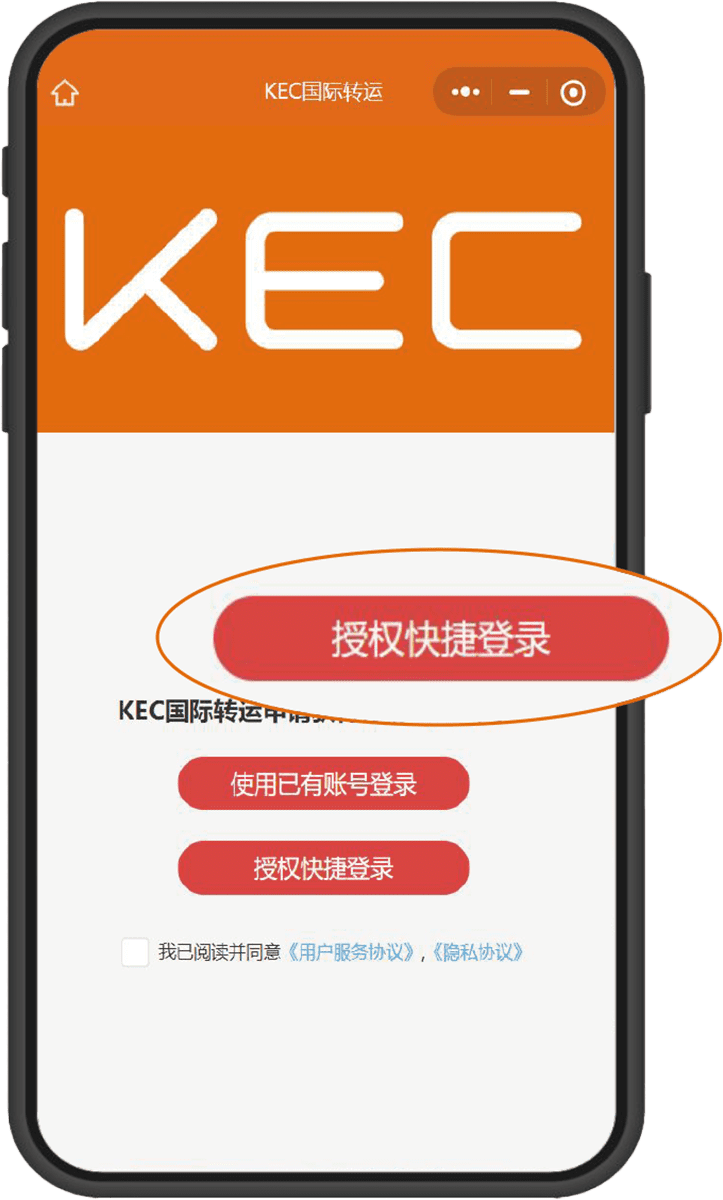
➋ Recommended for First-Time Registration
“Authorize Quick Login”
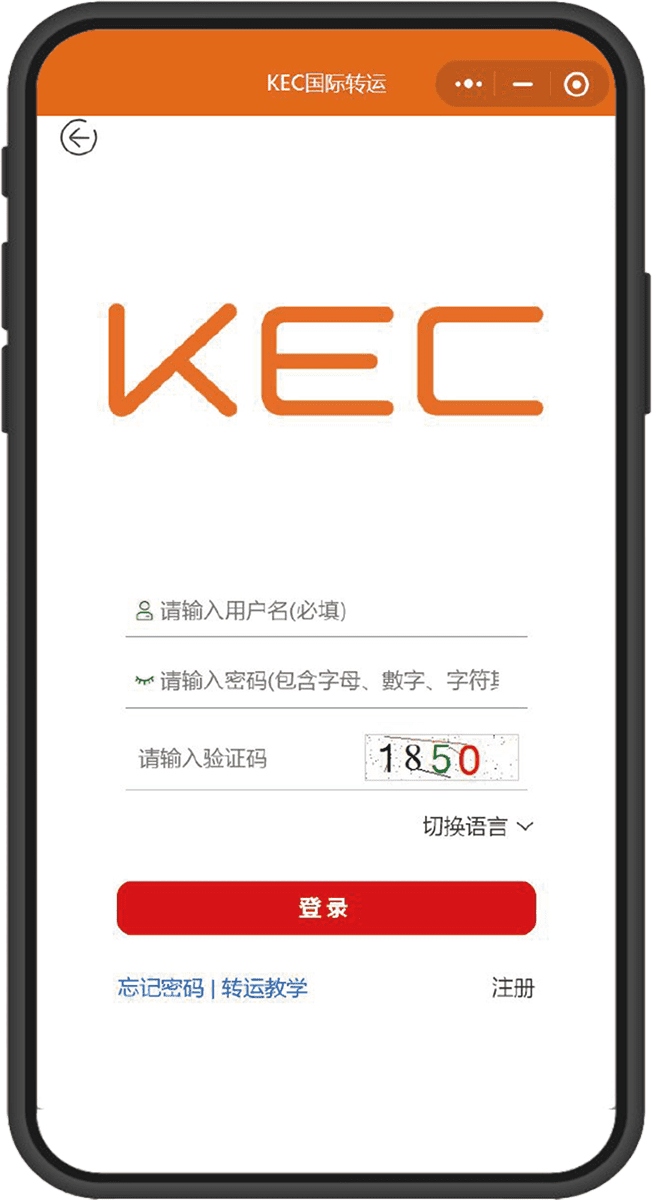
➌ Existing Account Selection
“Account Login”
Step.1

Register and Login

Enter the Mini Program homepage and click “Login Immediately”

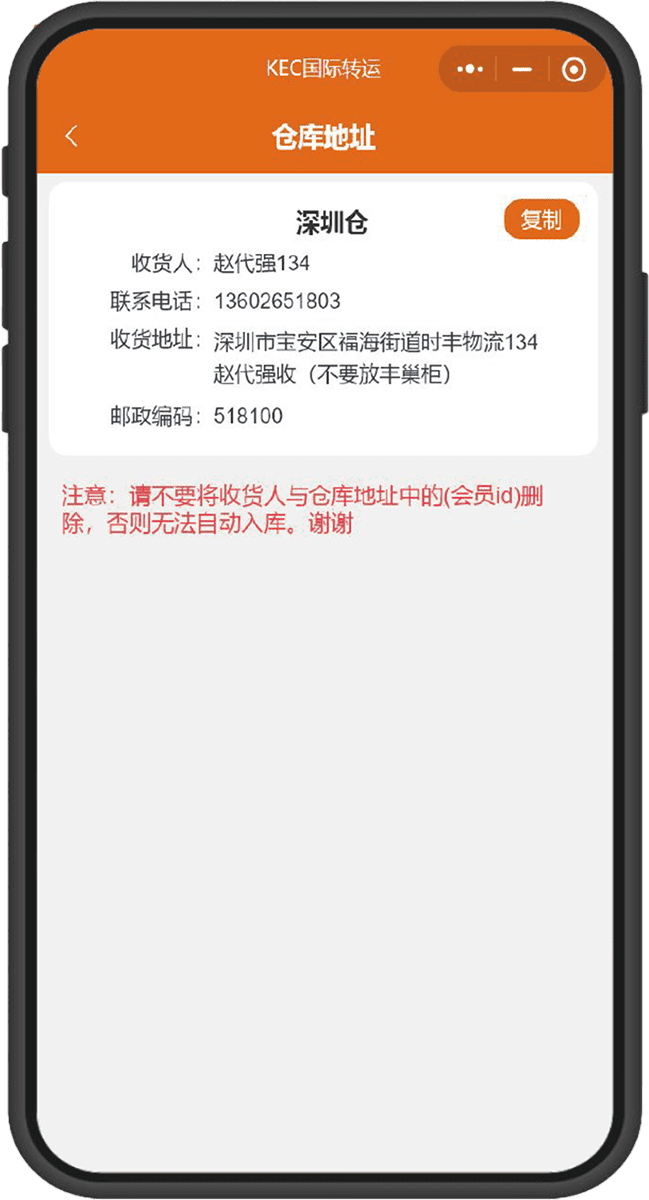
➊ Click to obtain
“Warehouse Address”
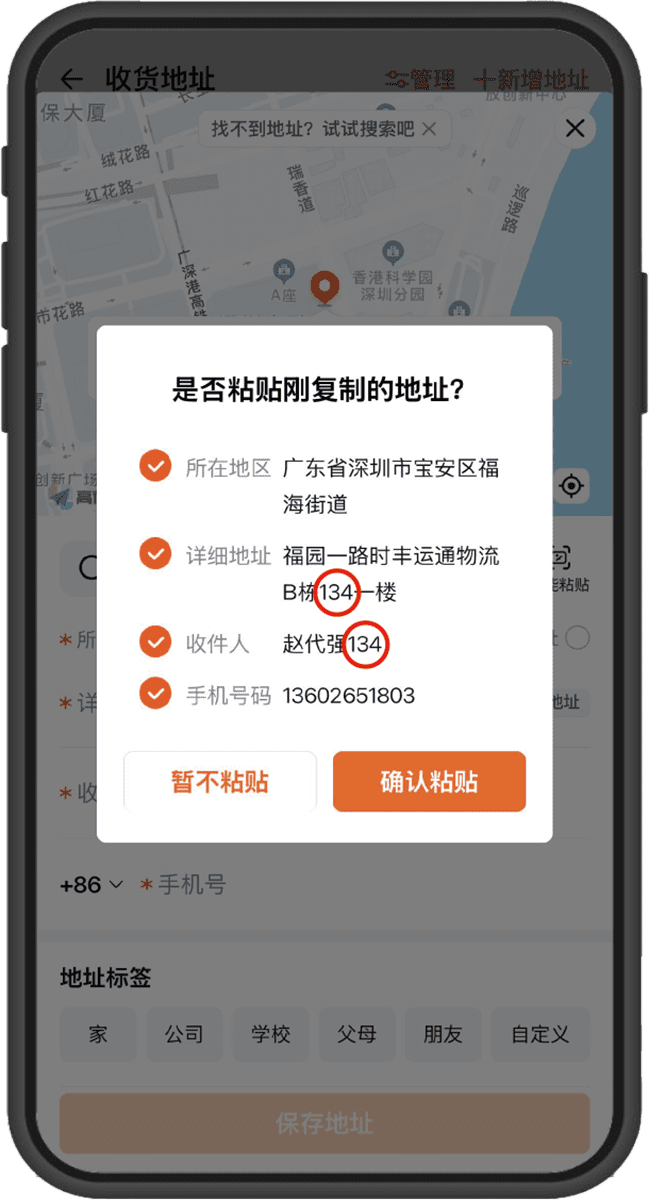
➋ Duplicate “Warehouse Location”
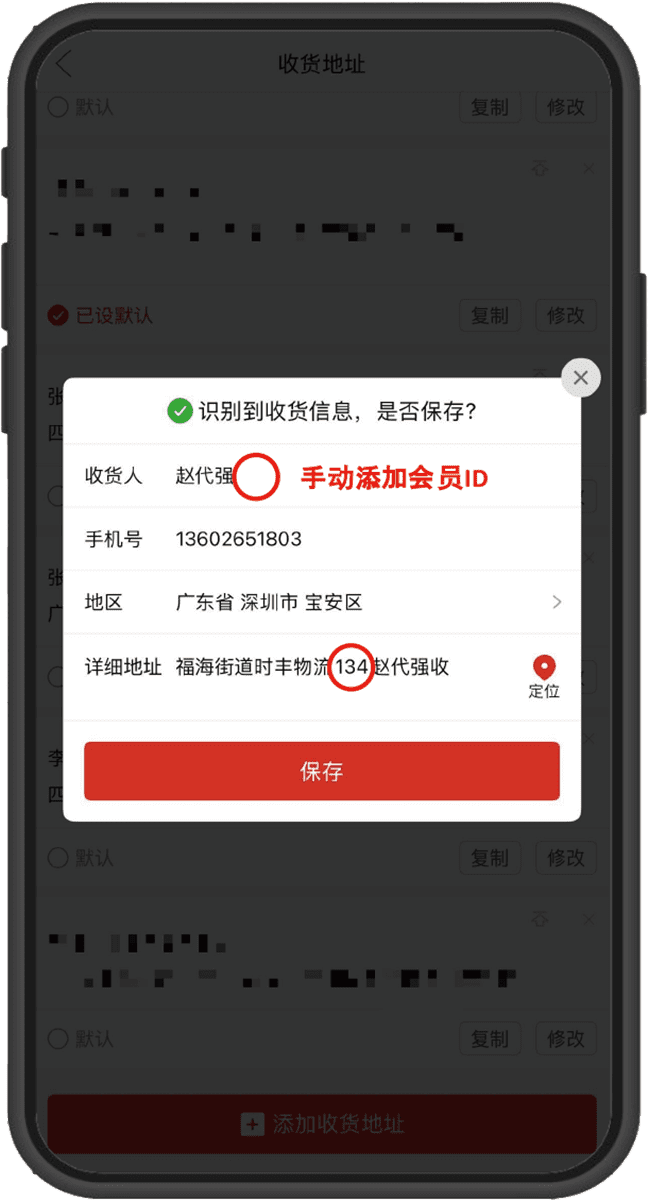
➌ Paste the address on the “E-commerce Platform”
Step.2

Purchase to Warehouse
(No Pre-report Needed)

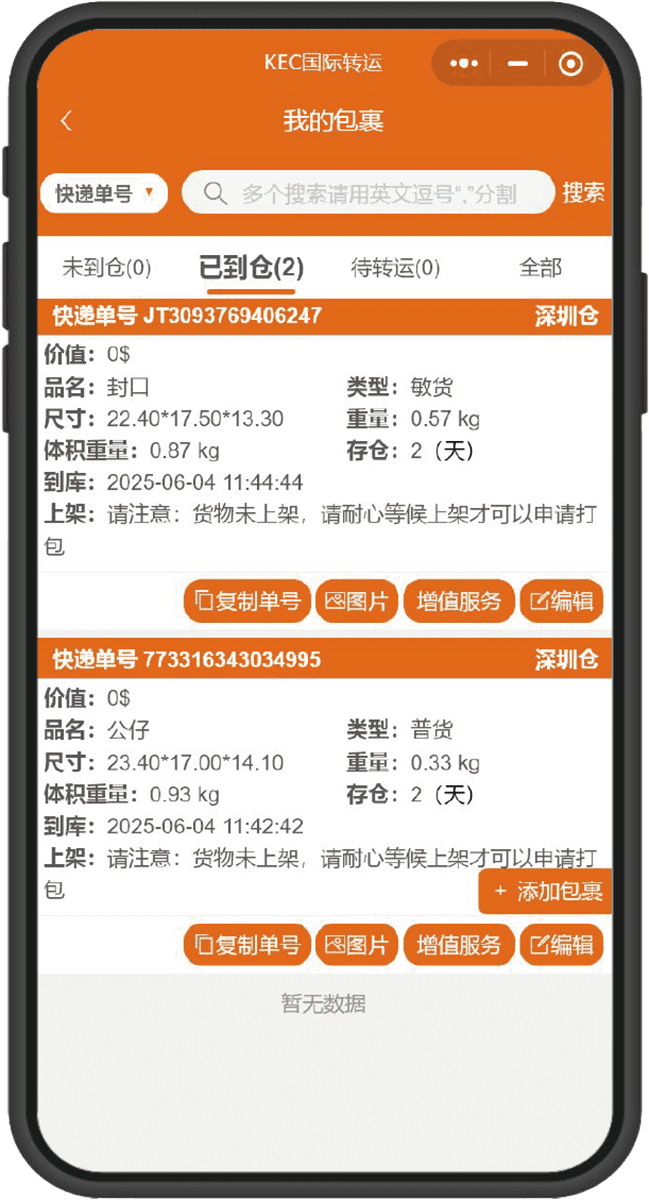
On the homepage, click“Warehouse Address” to duplicate
The system will automatically enter the warehouse based on the Member ID
⚠️ Important: Please be sure to verify whether the recipient and address
include your Member ID

➊ No pre-report needed, warehouse staff
enter the warehouse package according to Member ID
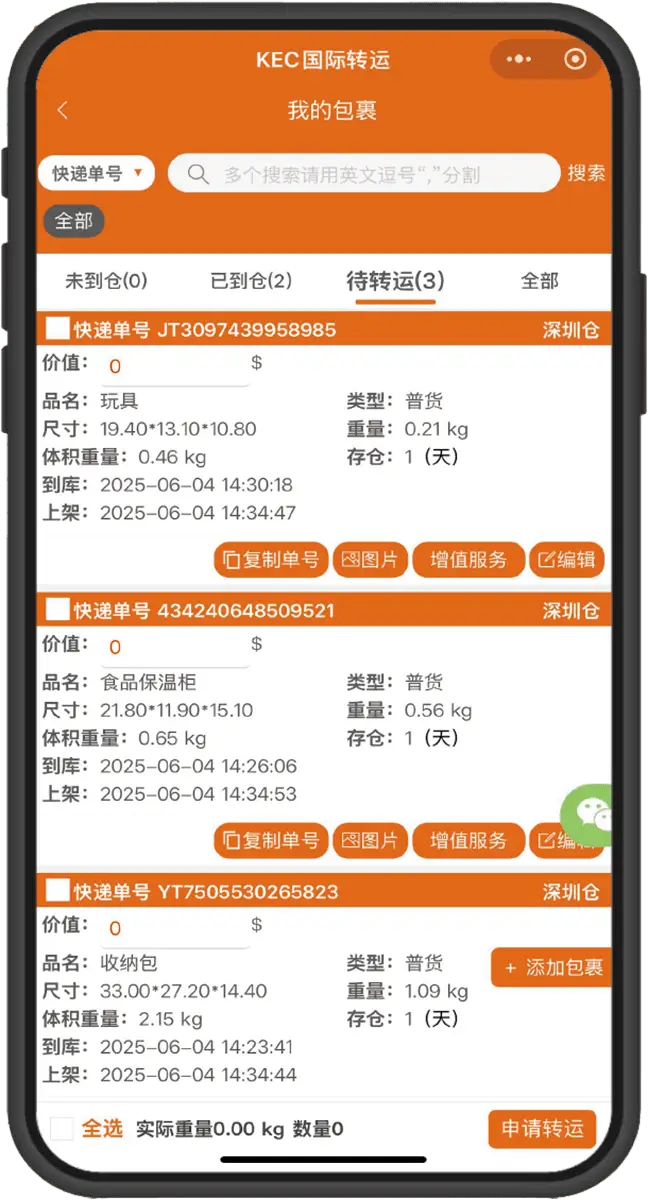
➋ Submit forwarding request
Must fill in the declared package value
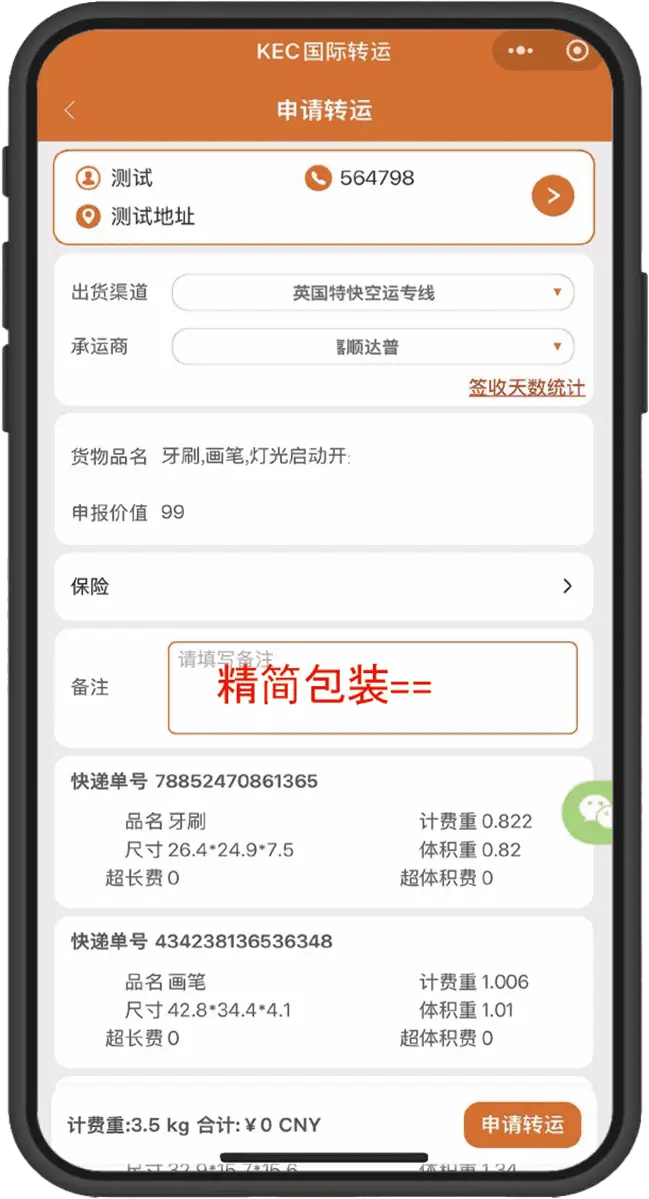
➌ Select delivery address and shipping channel
May include packing requirements
Step.3

Submit Forwarding Request

After the package arrives, select it in “My Packages” and submit the request

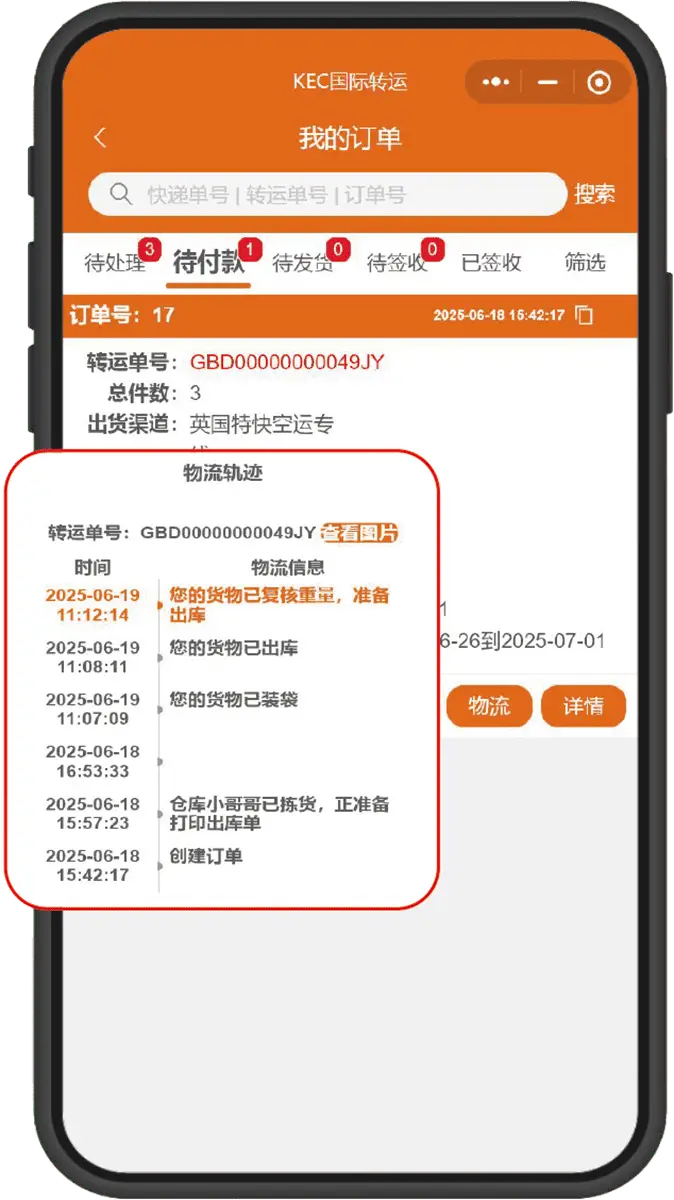
➊ After submitting the forwarding request
You can immediately check the packing progress
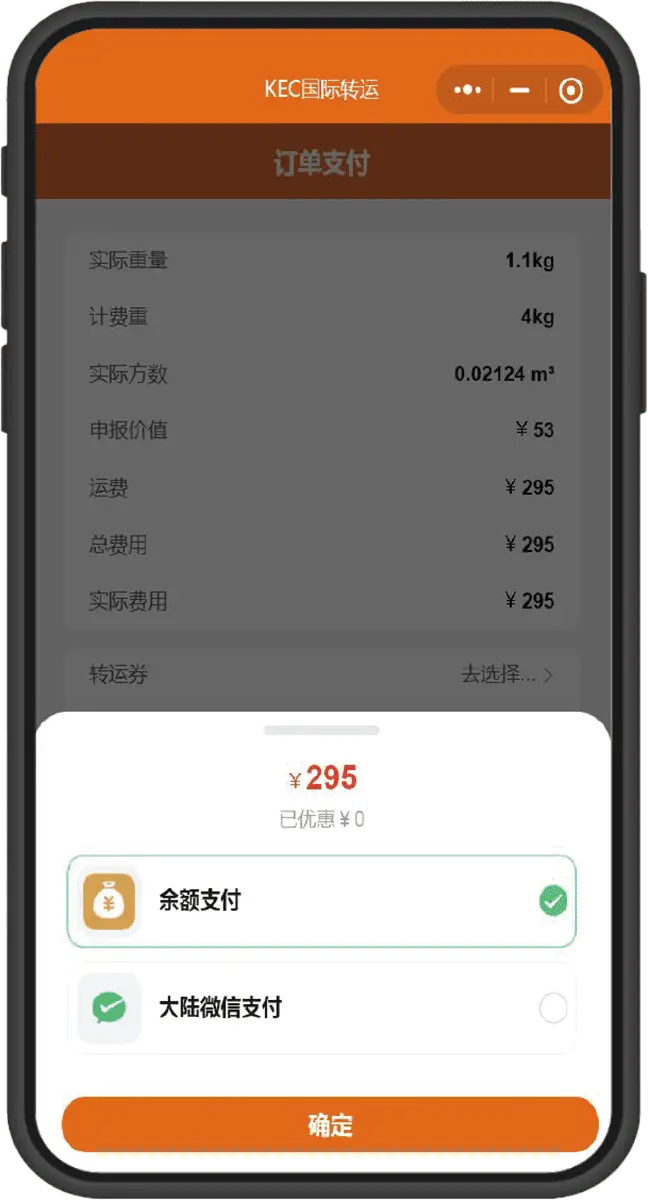
➋ After quantity verification and payment
Supports WeChat/Alipay payments
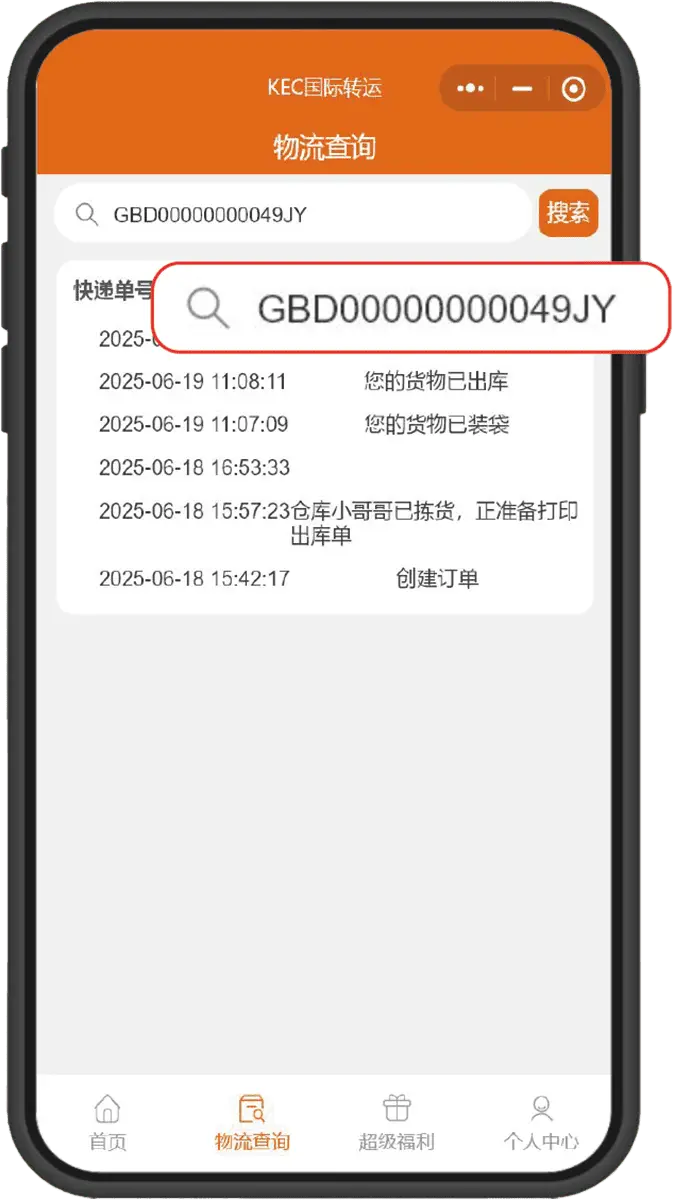
➌ After shipping, tracking the package
is available anytime via the forwarding order number
Step.4

Payment and Shipment

After packing is completed, verify quantity and make payment

⚠️ Mini Program Payment Supports: WeChat / Balance Payment
APP Supports: Alipay Payment

➊ Select immediate collection/registration
The system will redirect to the order page
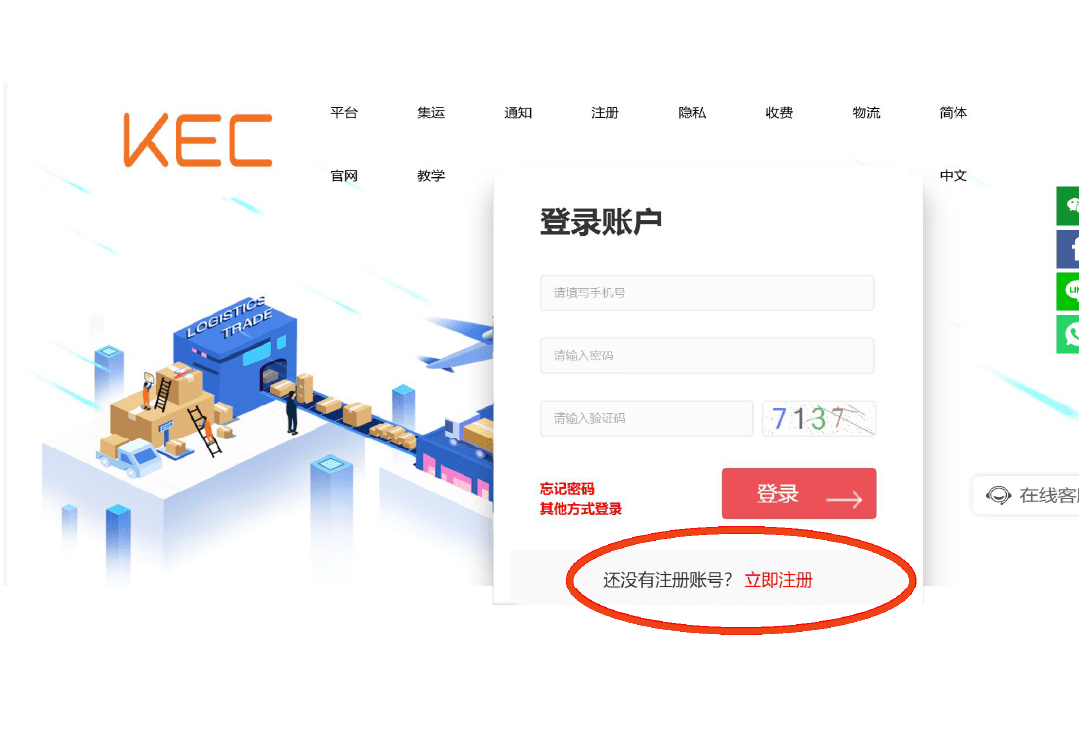
➋ Existing account can log in directly. First-time registration can select immediate registration
Step.1

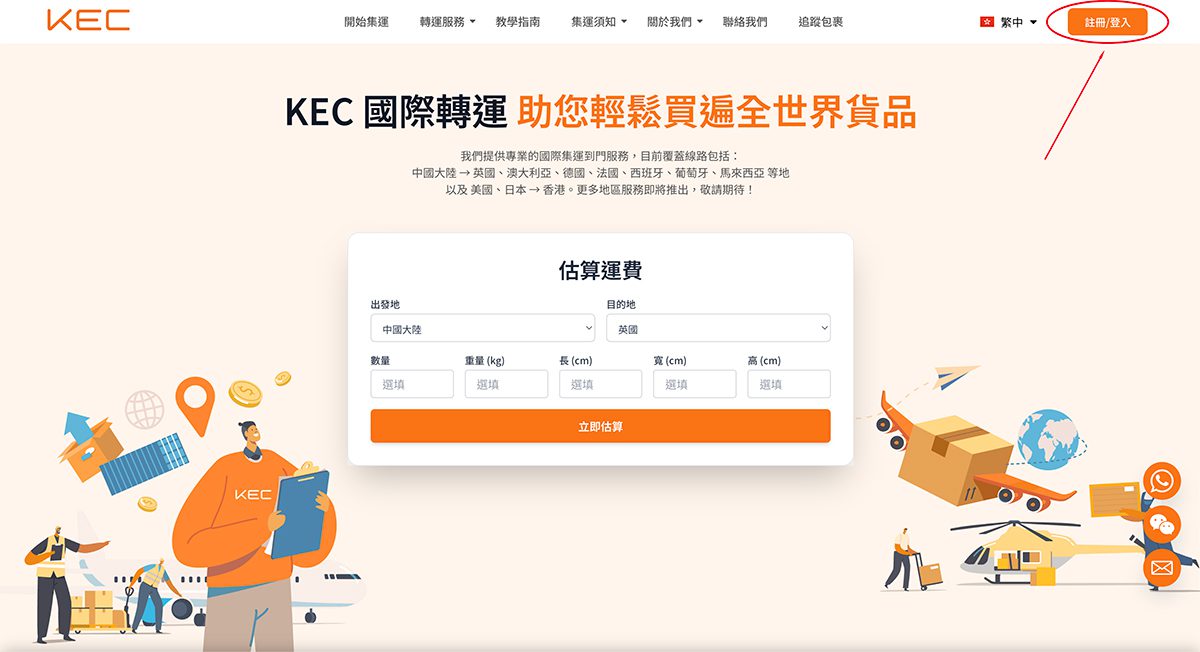
Registration / Login

Click “Login/Register” at the top right corner of the official website

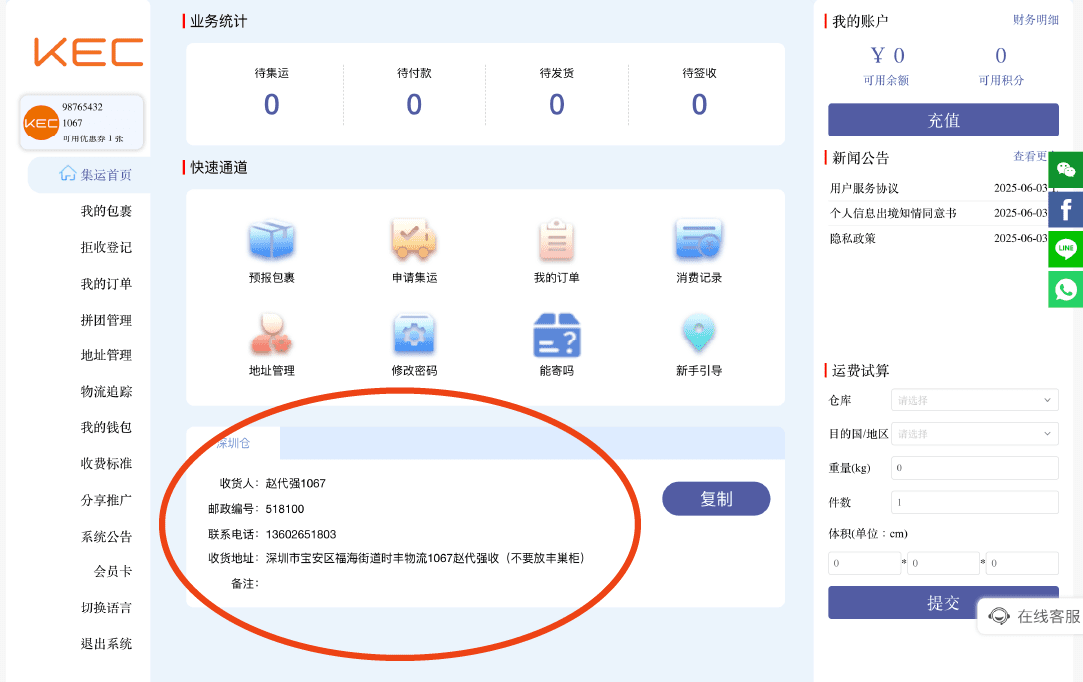
➊ Red circle indicates warehouse address and recipient information
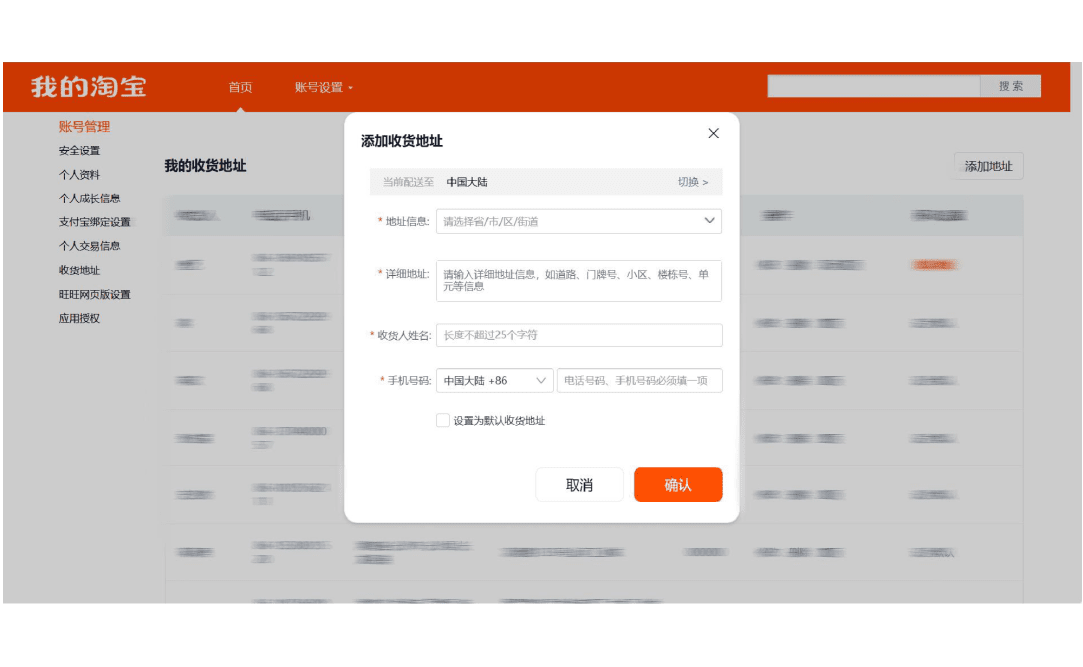
➋ Duplicate warehouse address and recipient information to the shopping platform
Step.2

Obtain Warehouse Address

After login, enter the “Member Center” to duplicate your exclusive warehouse address to the shopping website

⚠️ Important: The “Member ID” after the recipient’s name is the identification key, please do not delete it.

➊ No pre-report needed, warehouse staff
enter the warehouse package according to Member ID
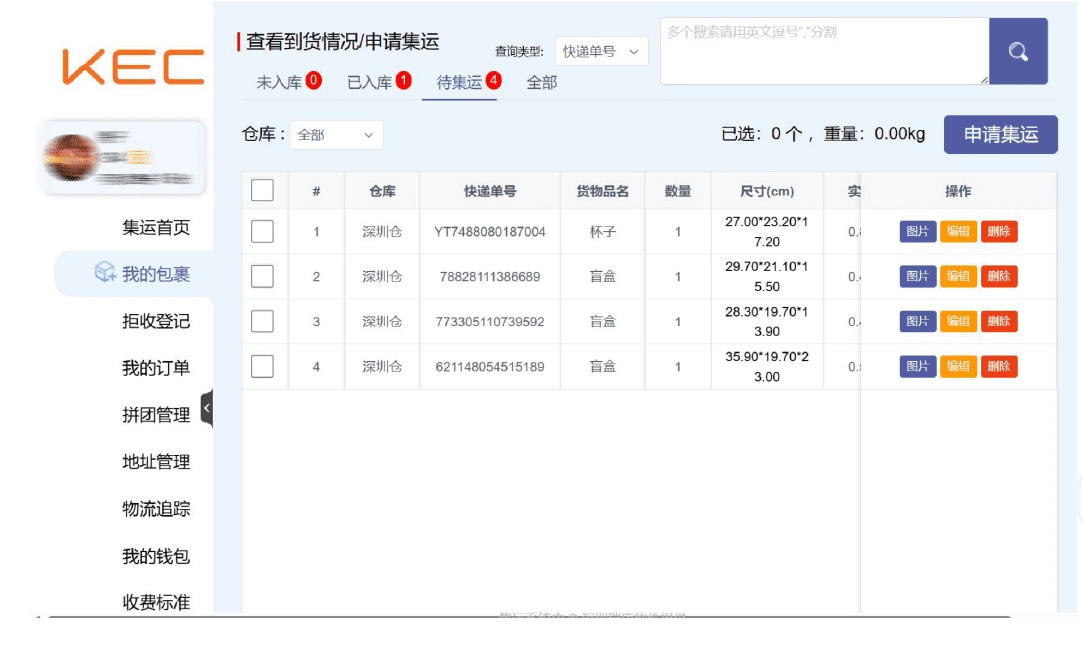
➋ Submit forwarding request, must fill in
the declared value of the single package
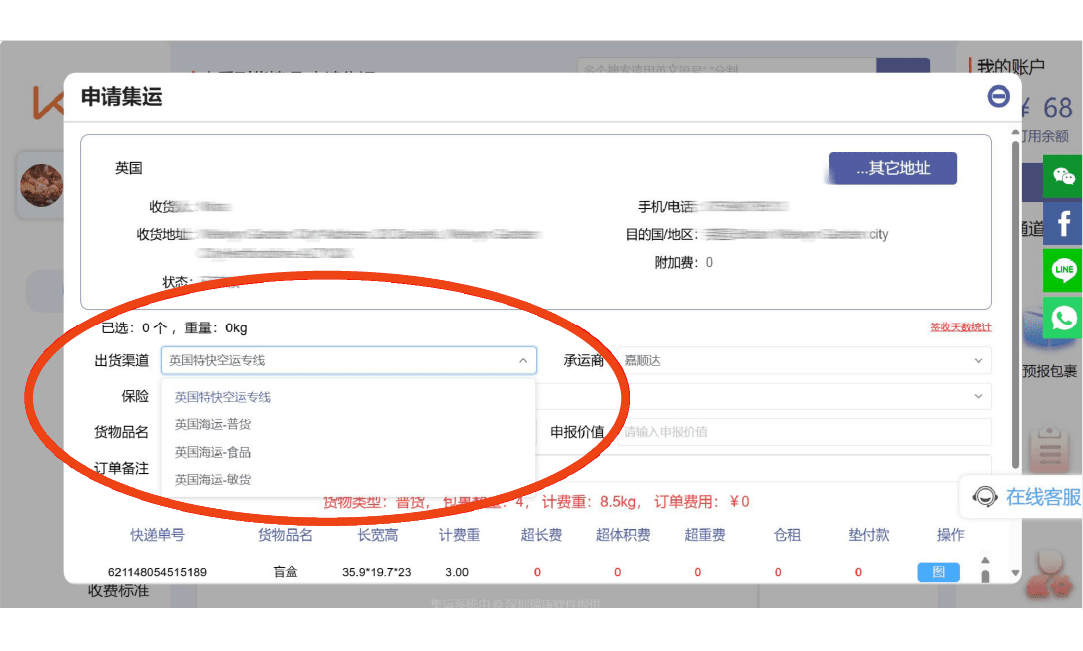
➌Select delivery address and shipping channel
May include packing requirements
Step.3

Submit Consolidation Request

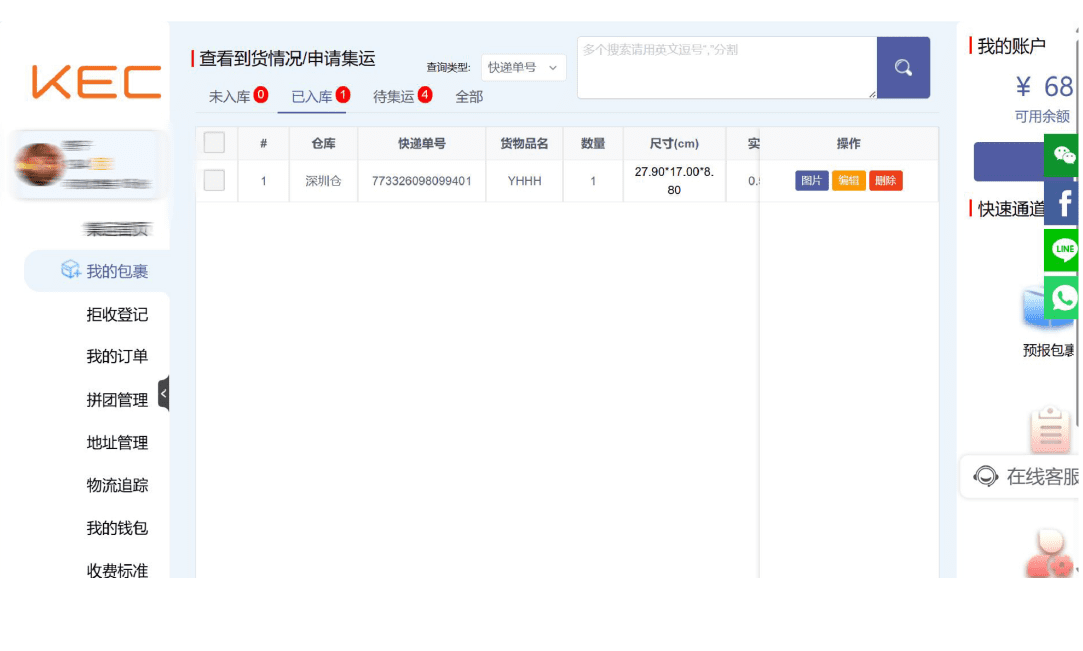
In “My Packages,” select the packages that have arrived at the warehouse and click “Submit Consolidation”

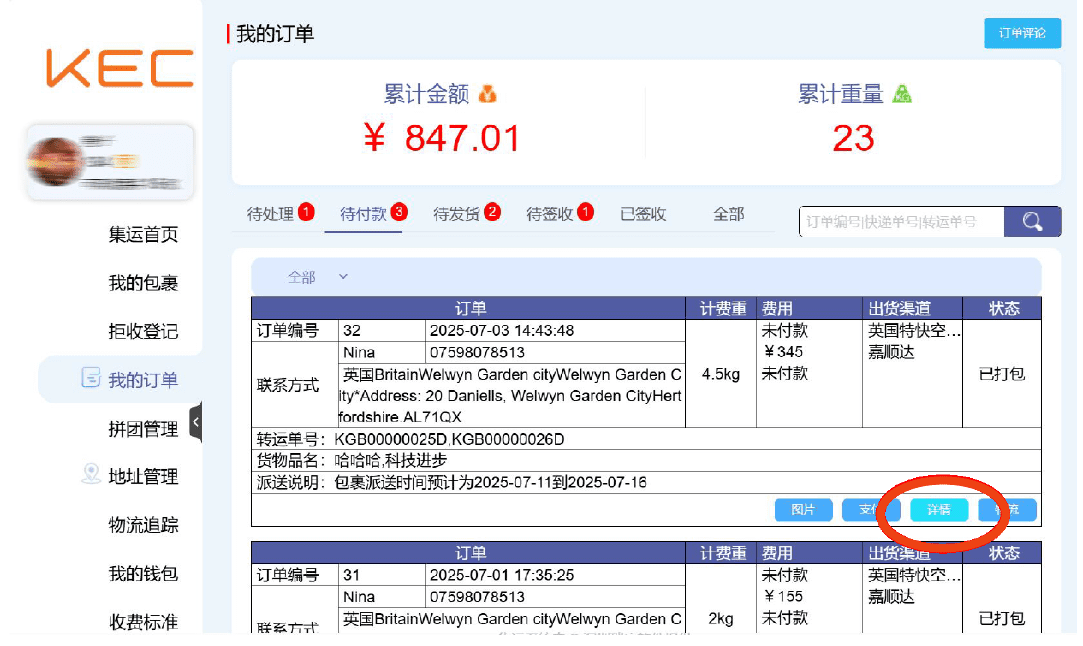
➊ After submitting forwarding request, details can be selected Immediately check packing progress
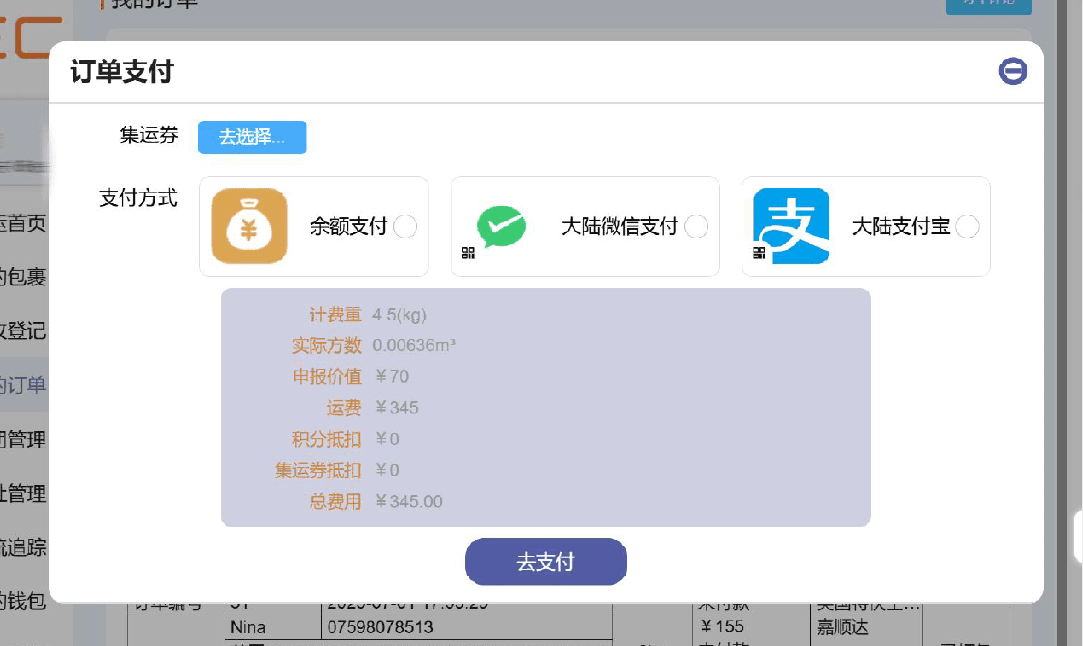
➋ After quantity verification and payment
Supports WeChat/Alipay payments
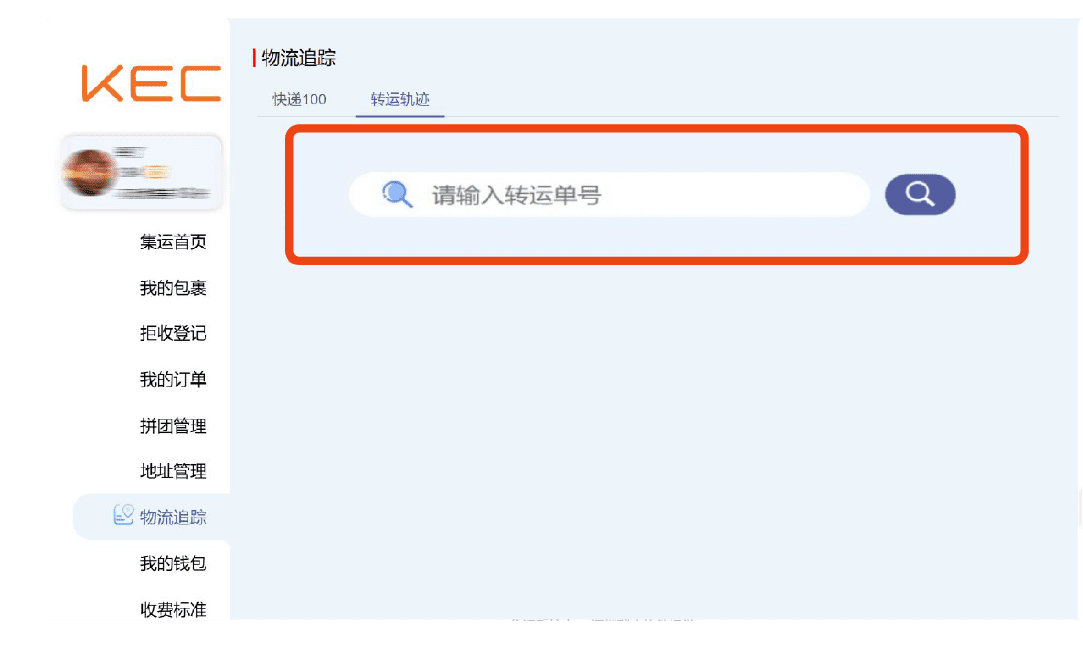
➌ After shipping, tracking the package is available anytime via the forwarding order number
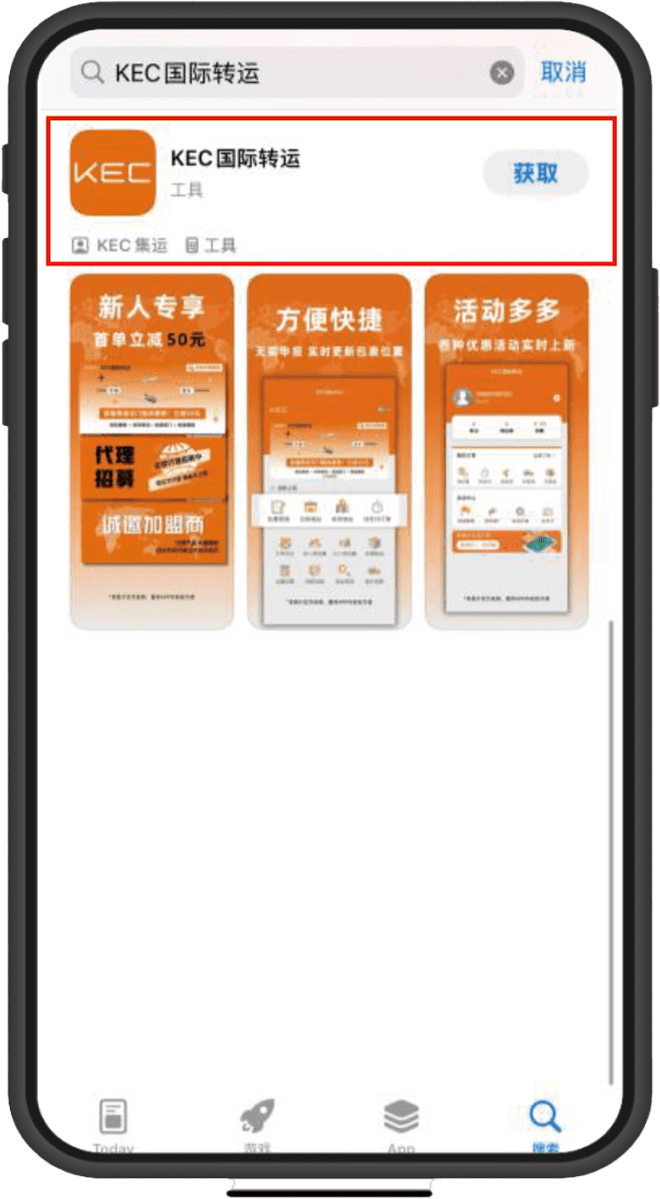
Step.4

Shipping Fee

In “Order Management,” view the packed orders and choose to pay with [payment treasure]/[WeChat Pay]/balance.

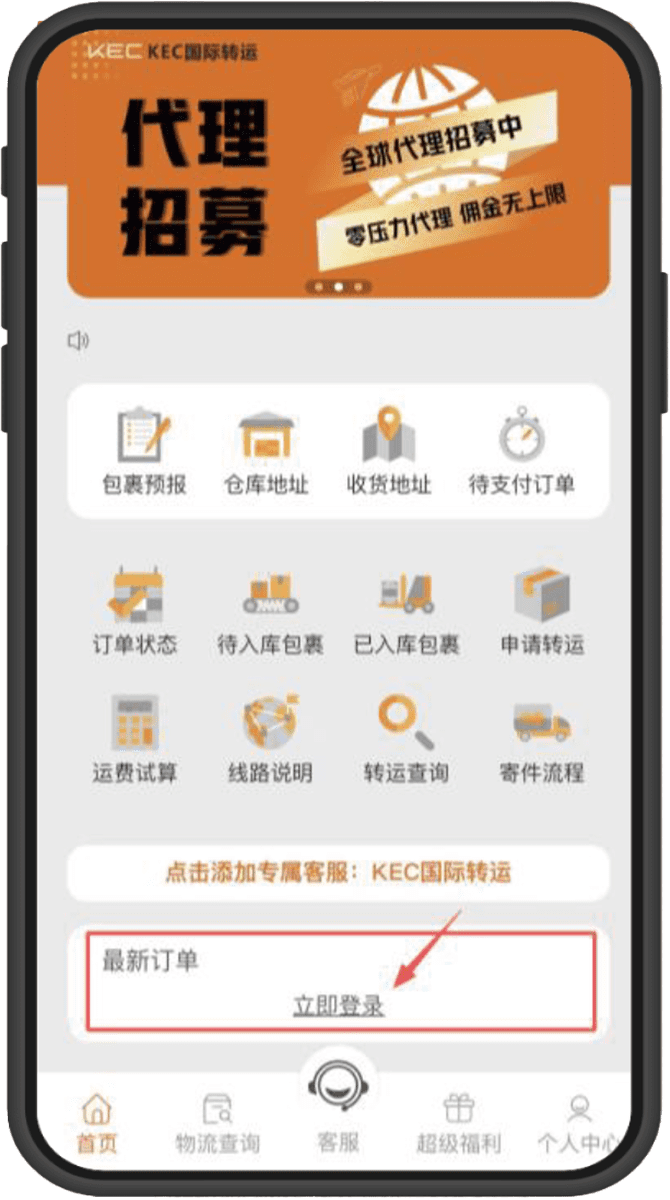
➊ APP Store Search
“KEC International Shipping” and download
➋ After download is complete, enter the app homepage
Click "Login Now"
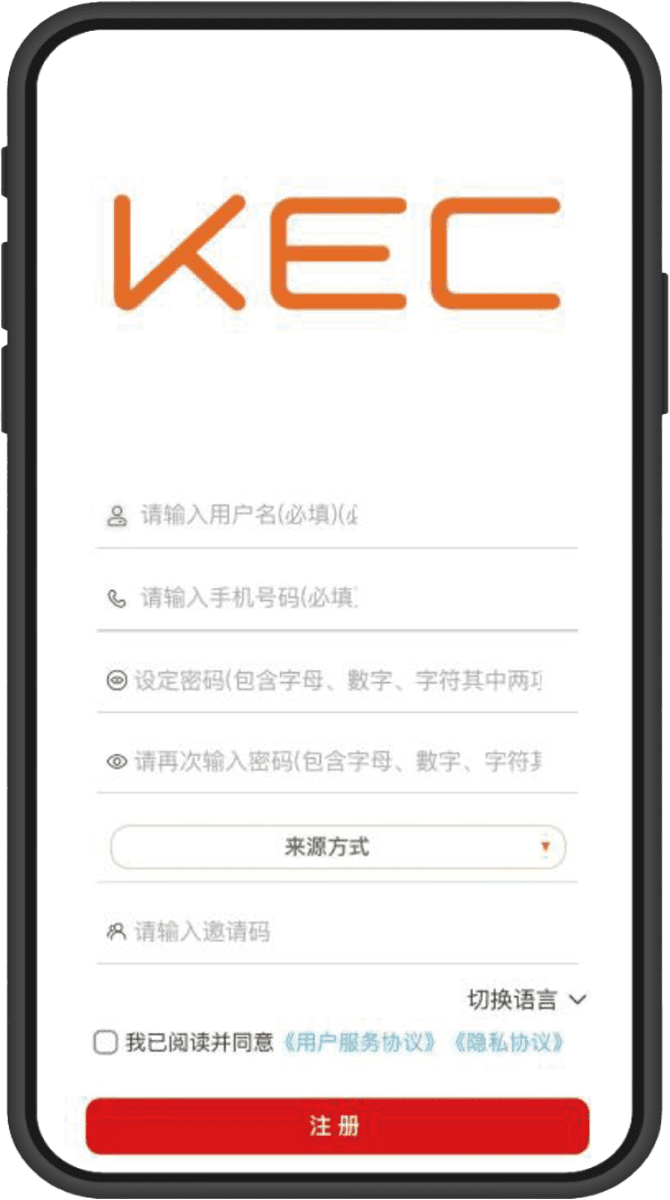
➌ Account Registration/Login
Step.1

Download and Login

Go to the App Store and search
“KEC International Shipping” to download the app

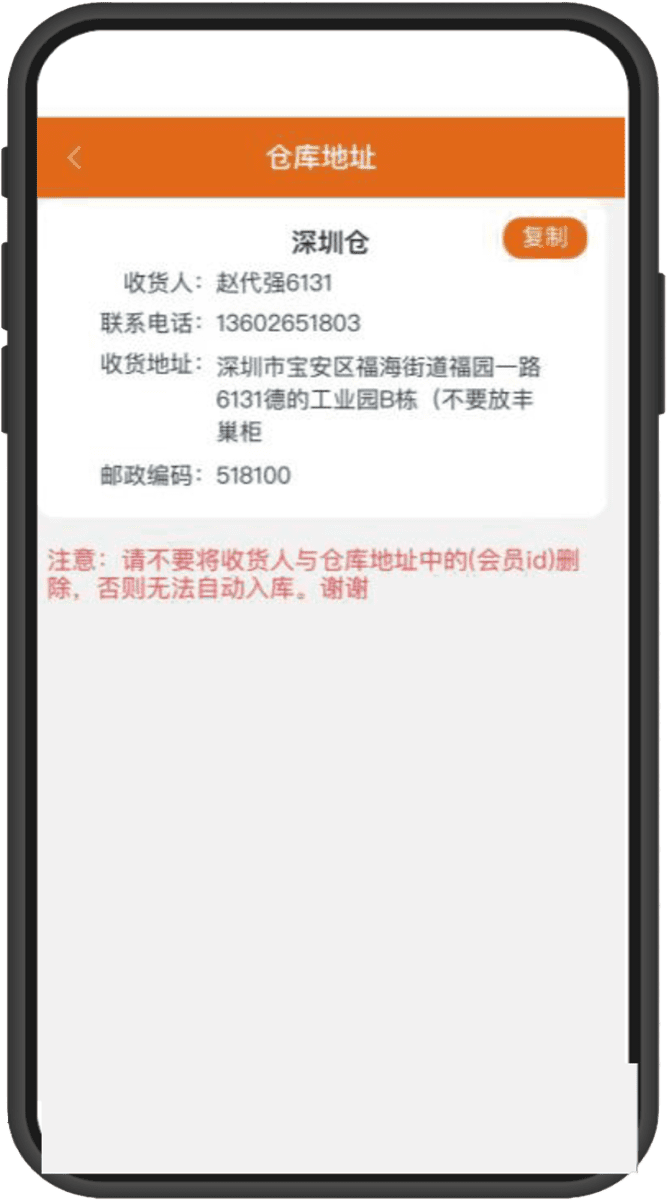
➊ After login, click on the homepage
“Warehouse Address”
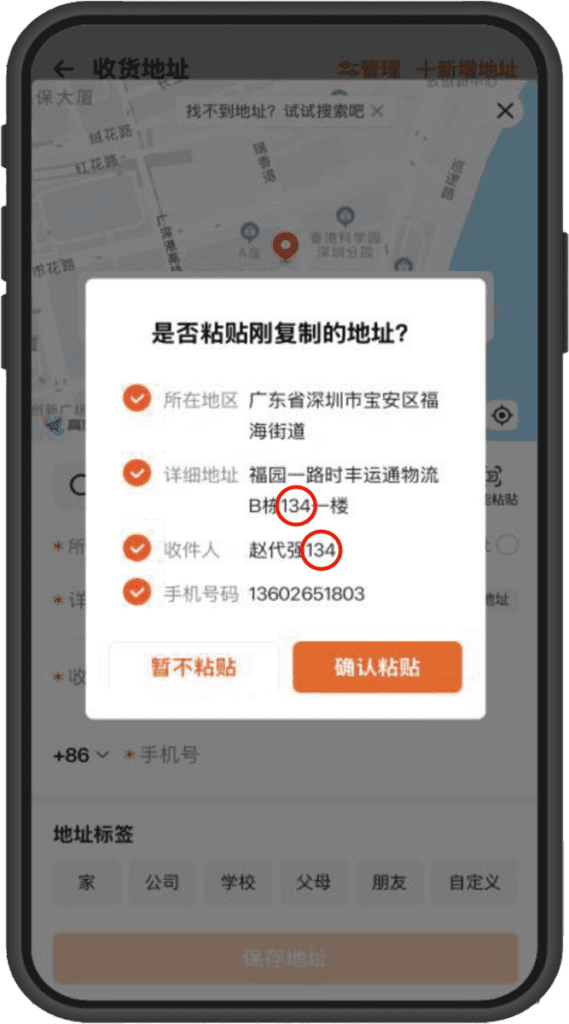
➋ Copy the "Warehouse Address"
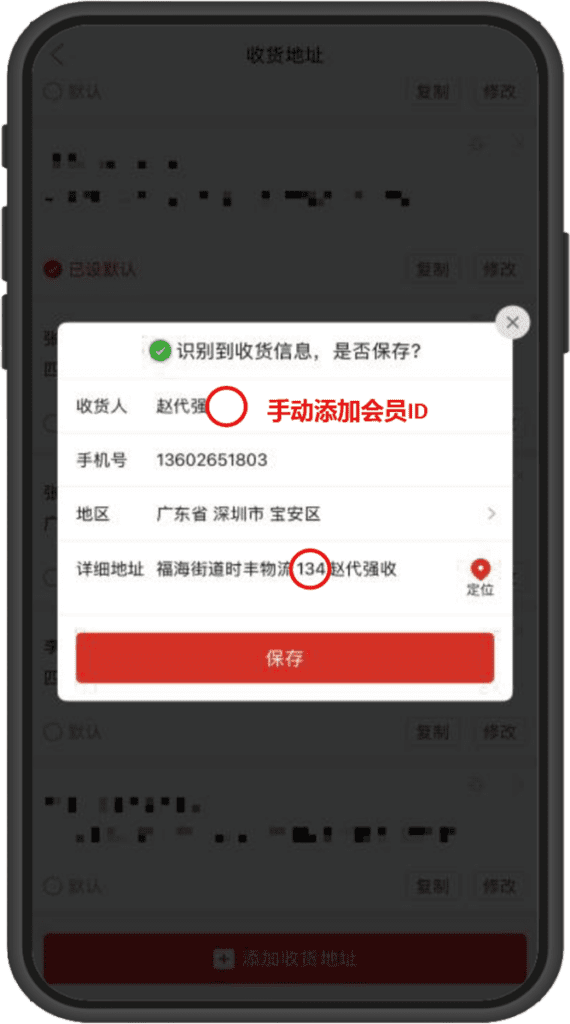
➌ Paste the address on the "E-commerce Platform"
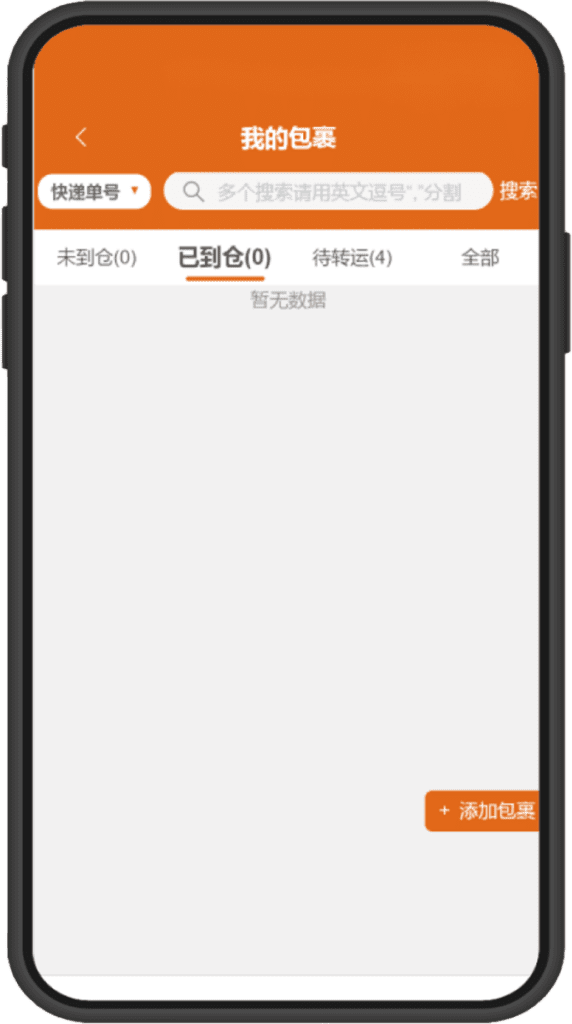
Step.2

Obtain Warehouse Address

On the APP homepage, click “Warehouse Address”,
then copy with one click to the shopping platform.

⚠️ Note: Please make sure to verify whether the recipient and address include your member ID

➊ No pre-report needed, warehouse staff
will warehouse according to member ID
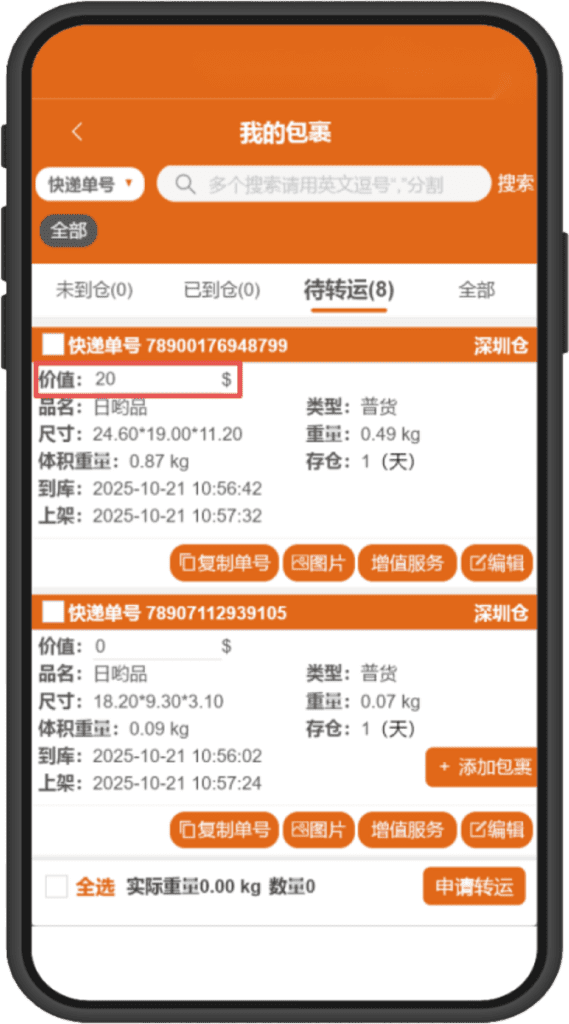
➋ Before applying for shipping, you must fill in
the declared value of individual packages
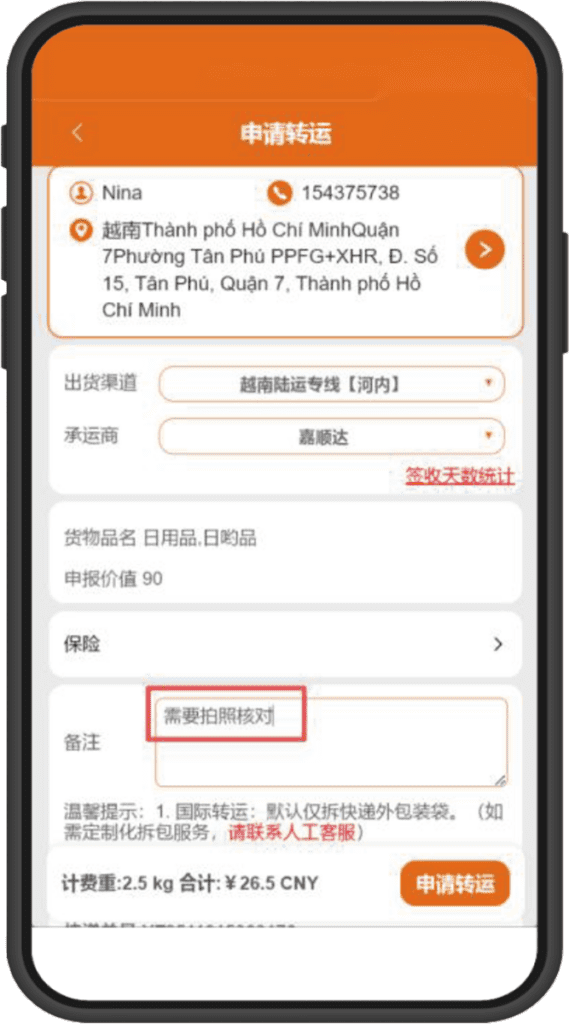
➌ Select the delivery address and shipping method,
with optional packing requirements and others
Step.3

Apply for Shipping

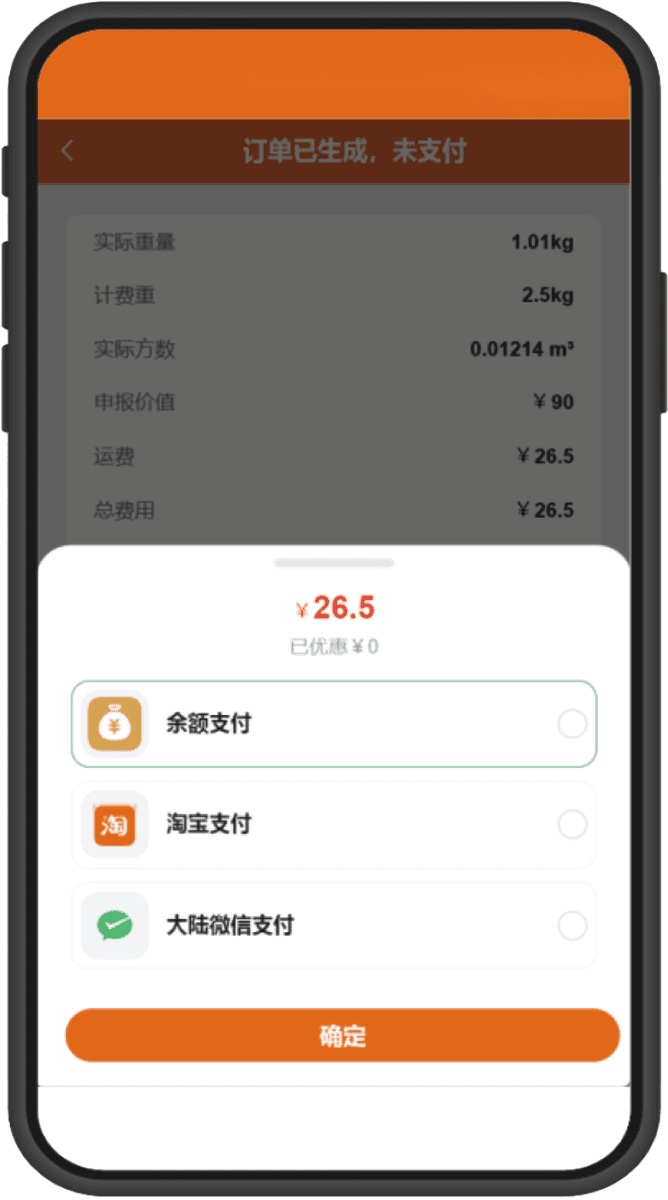
On the “My Packages” page, select the warehouse package, click “Apply for Shipping”, fill in the declaration details, and submit.

➊ After applying, the system calculates the price
You can select multiple payment methods
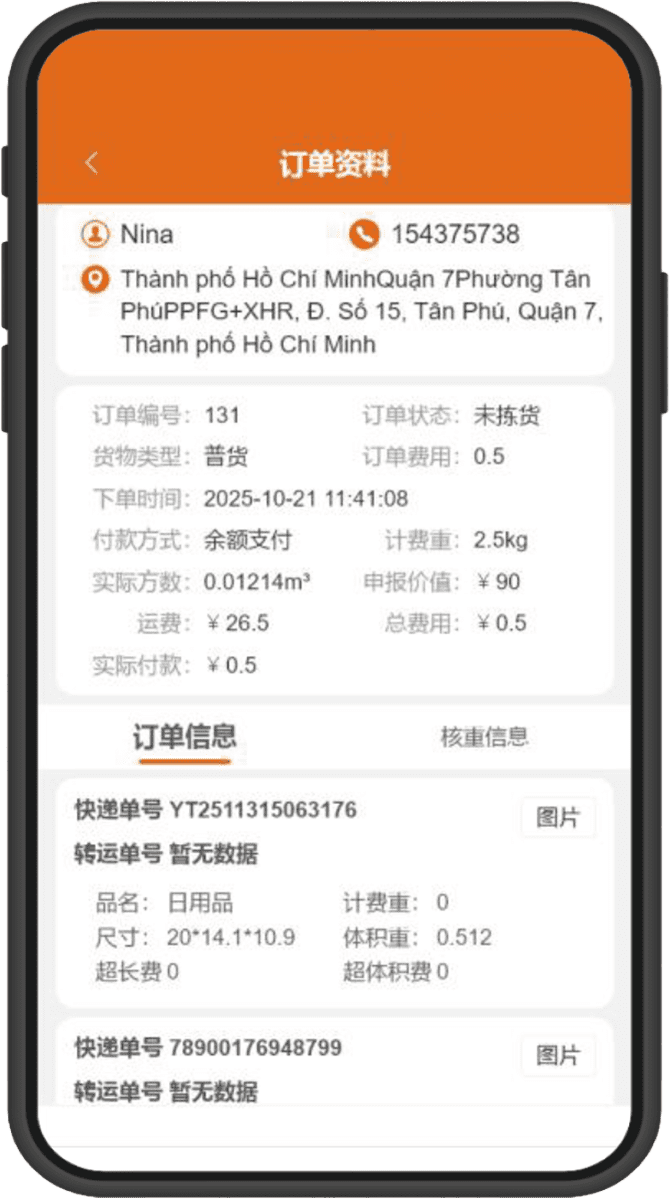
➋ Payment successful
The warehouse receives the order and ships
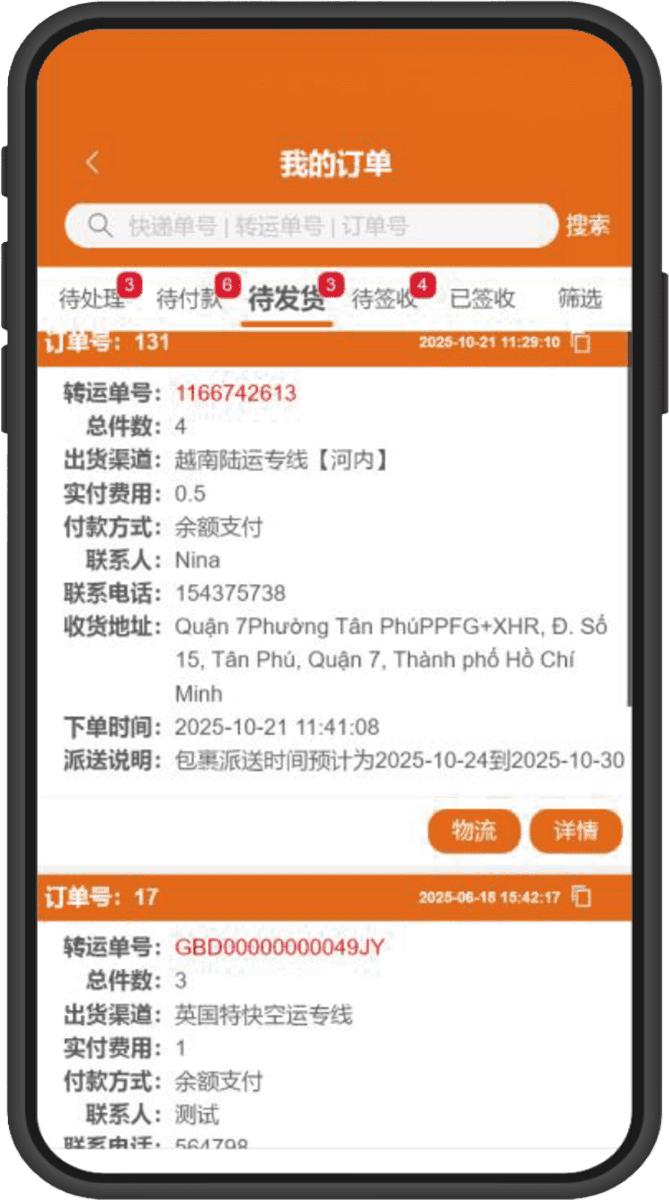
➌ After shipping, you can click to track the goods
and immediately view the logistics trajectory
Step.4

Payment and Shipping

After packing is complete, verify the weight and make payment

⚠️ Supports balance/WeChat Pay
Payment slots for Alipay/PayPal

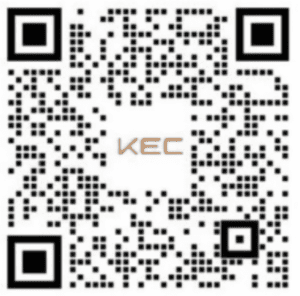
➊ Scan below
“QR Code” and download

➋ After download is complete, enter the app homepage
Click "Login Now"
➌ Account Registration/Login
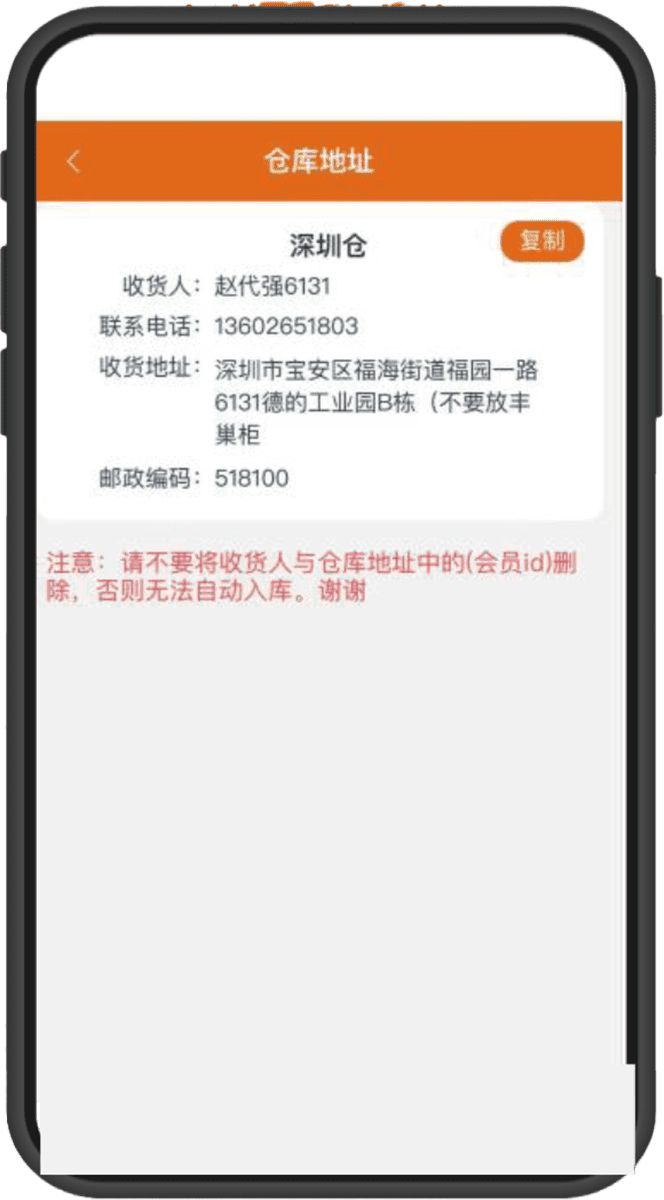
Step.1

Download and Login

Go to Google Play and search “KEC International Shipping” or scan the official website QR code to download the APK

➊ After login, click on the homepage
“Warehouse Address”
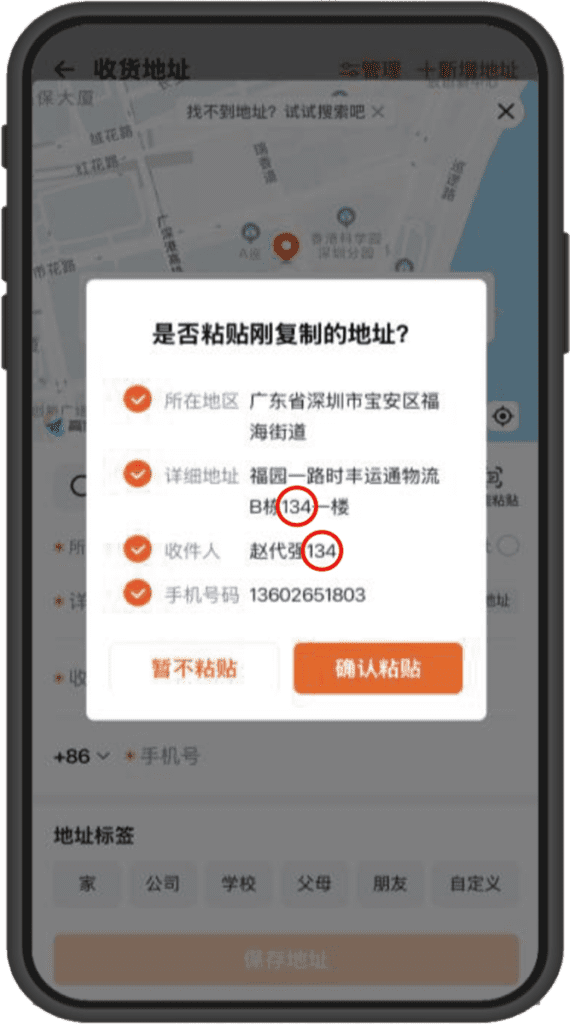
➋ Copy the "Warehouse Address"
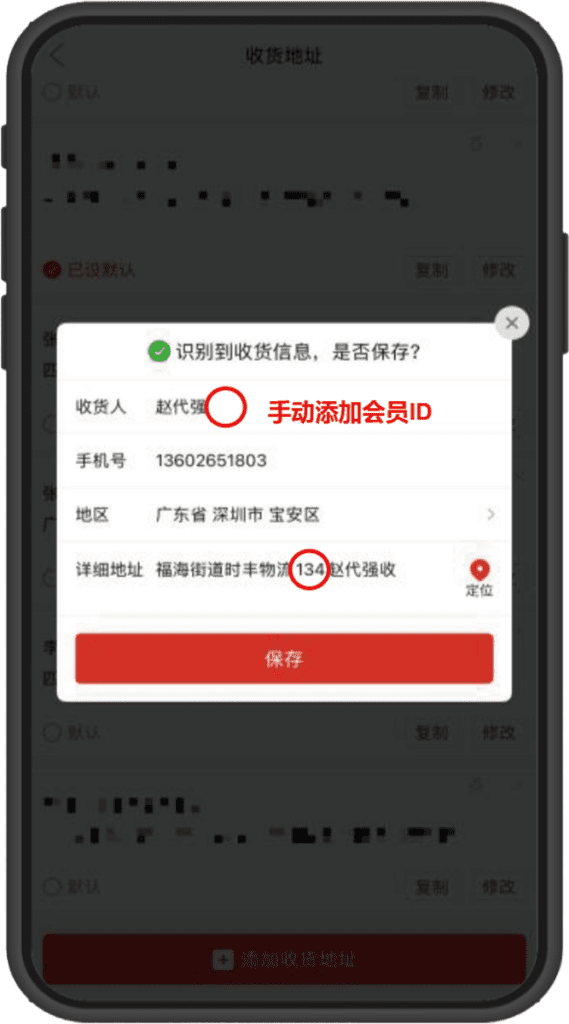
➌ Paste the address on the "E-commerce Platform"
Step.2

Obtain Warehouse Address

Operations are the same as the iOS version; on the homepage click “Warehouse Address” to copy immediately

⚠️ Note: Please make sure to verify whether the recipient and address include your member ID

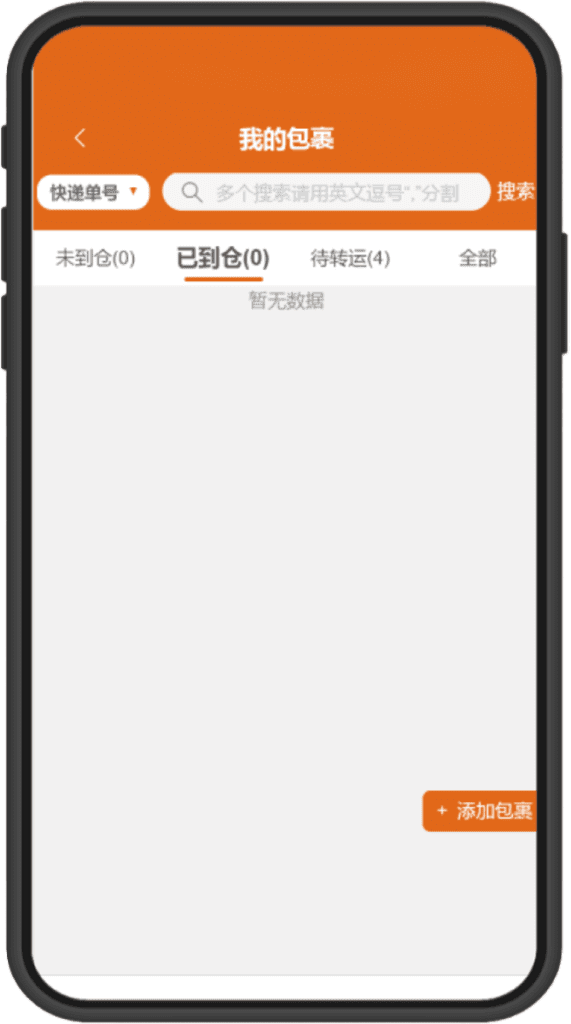
➊ No pre-report needed, warehouse staff
will warehouse according to member ID
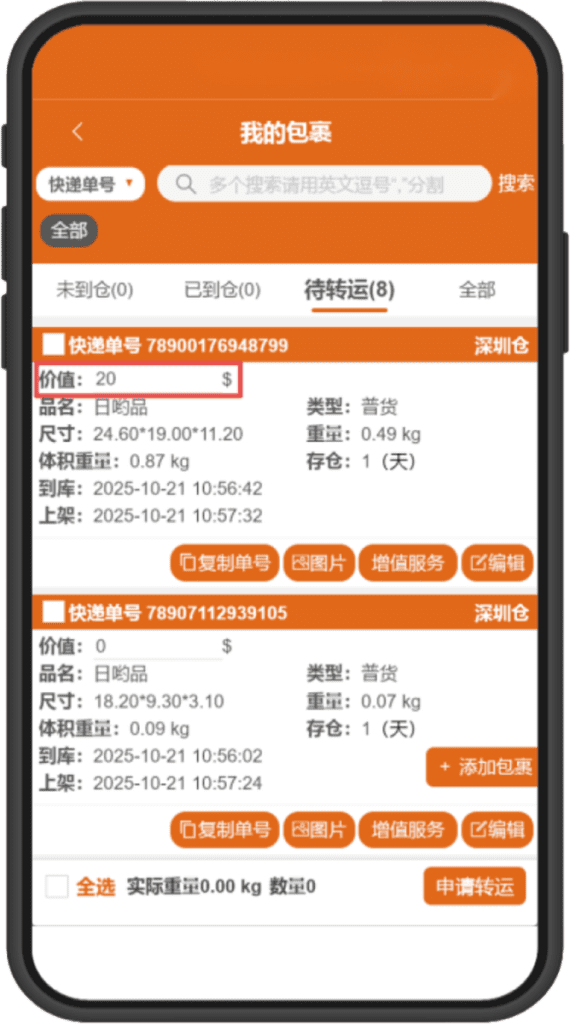
➋ Before applying for shipping, you must fill in
the declared value of individual packages
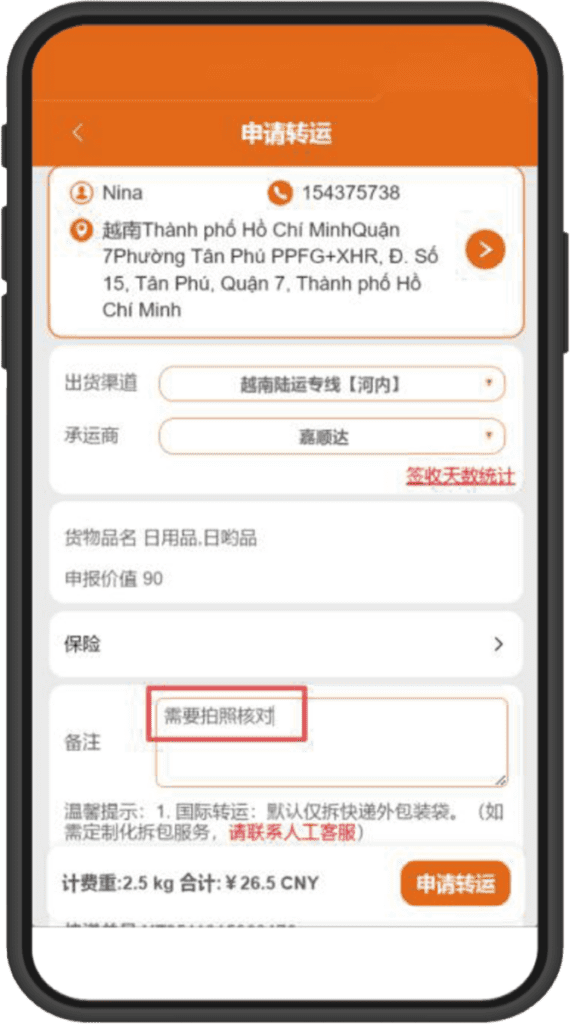
➌ Select the delivery address and shipping method,
with optional packing requirements and others
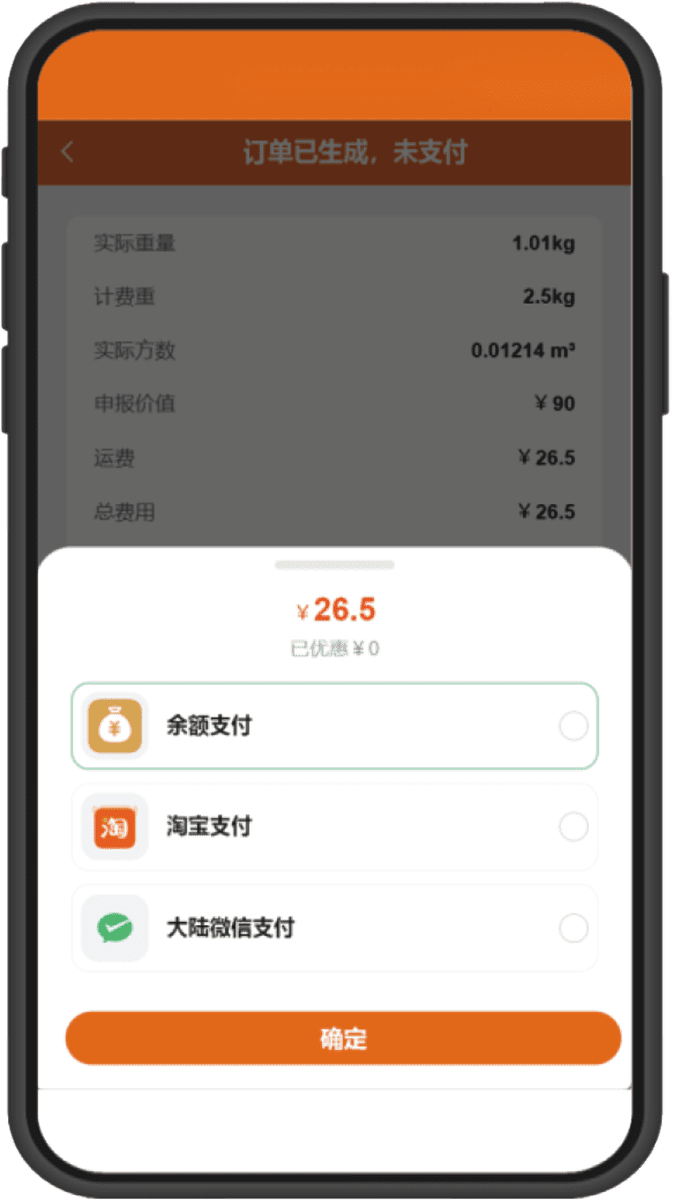
Step.3

Apply for Shipping

Select the warehouse package, fill in the declaration information, choose a shipping method, and submit the order

➊ After applying, the system calculates the price
You can select multiple payment methods
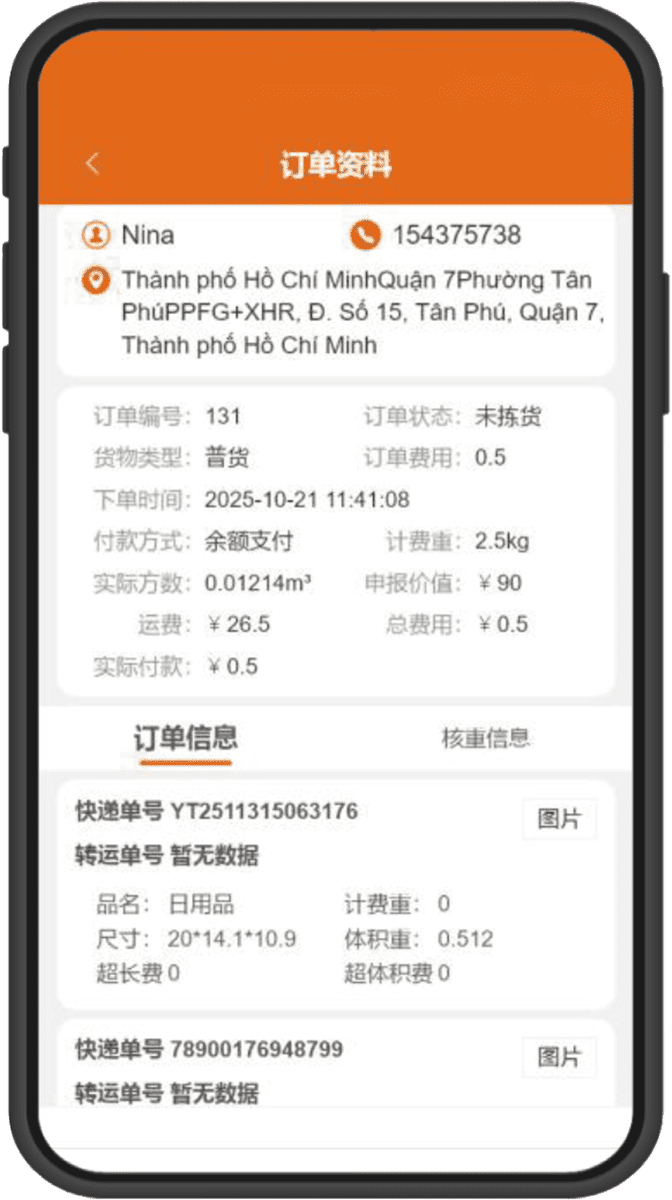
➋ Payment successful
The warehouse receives the order and ships
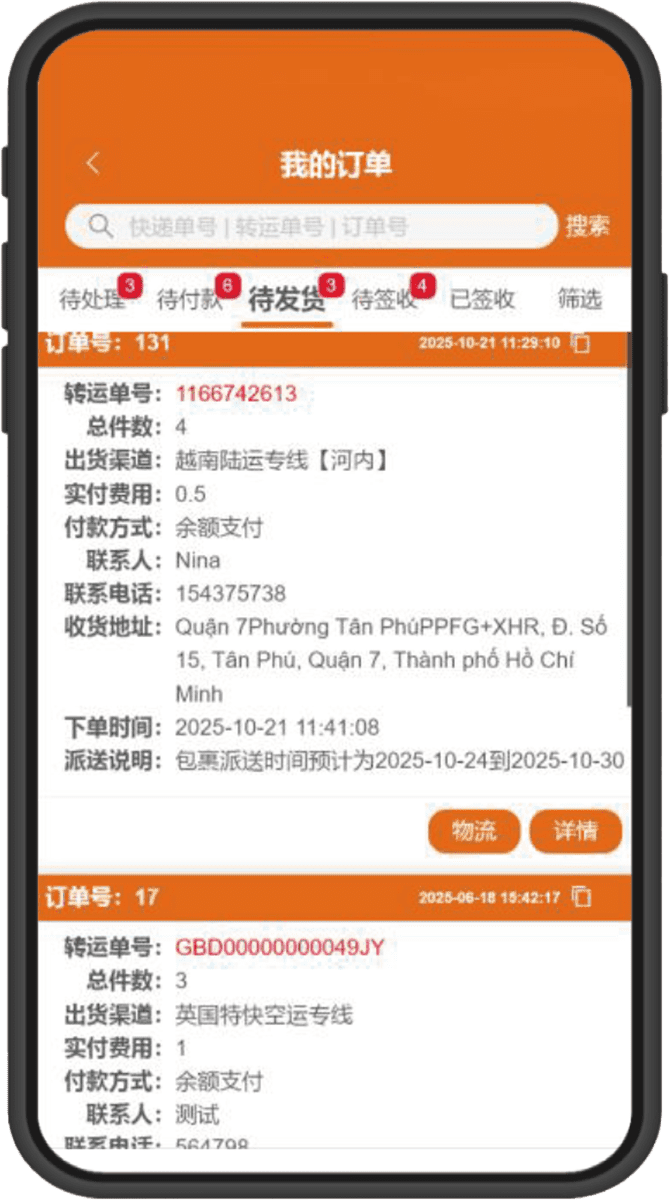

➌ After shipping, you can click to track the goods
and immediately view the logistics trajectory

Step.4

Payment and Shipping

After the package is complete, verify the quantity and make the payment

⚠️ Support balance/WeChat Pay
Payment wallet payment/Taobao payment

Ready to get started?

Register a KEC account now and receive exclusive shipping discounts for new users!

KEC International Transshipment makes your consolidation easy Hong Kong | USA  | Japan Continuously expanding global service coverage

Mini Program

Official Account

Live Support

New users get a 50 yuan discount on orders

Room 1906–1910, 19/F, East Wing, Hengchang Technology Building, No. 4035 Tinghai Avenue, Nanshan Subdistrict, Qianhai Shenzhen–Hong Kong Cooperation Zone, Shenzhen, China

Copyright © 2025 KEC Tranship. All Rights Reserved.

Scroll to Top