


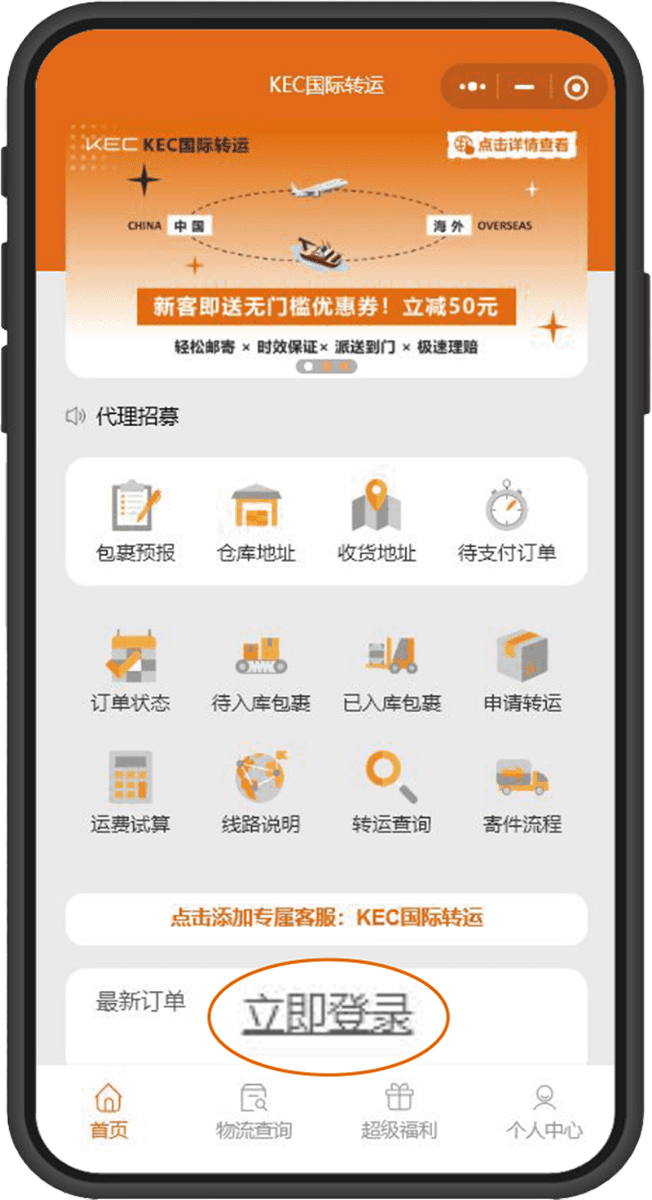
➊ Select Mini Program Homepage
“Login Immediately”
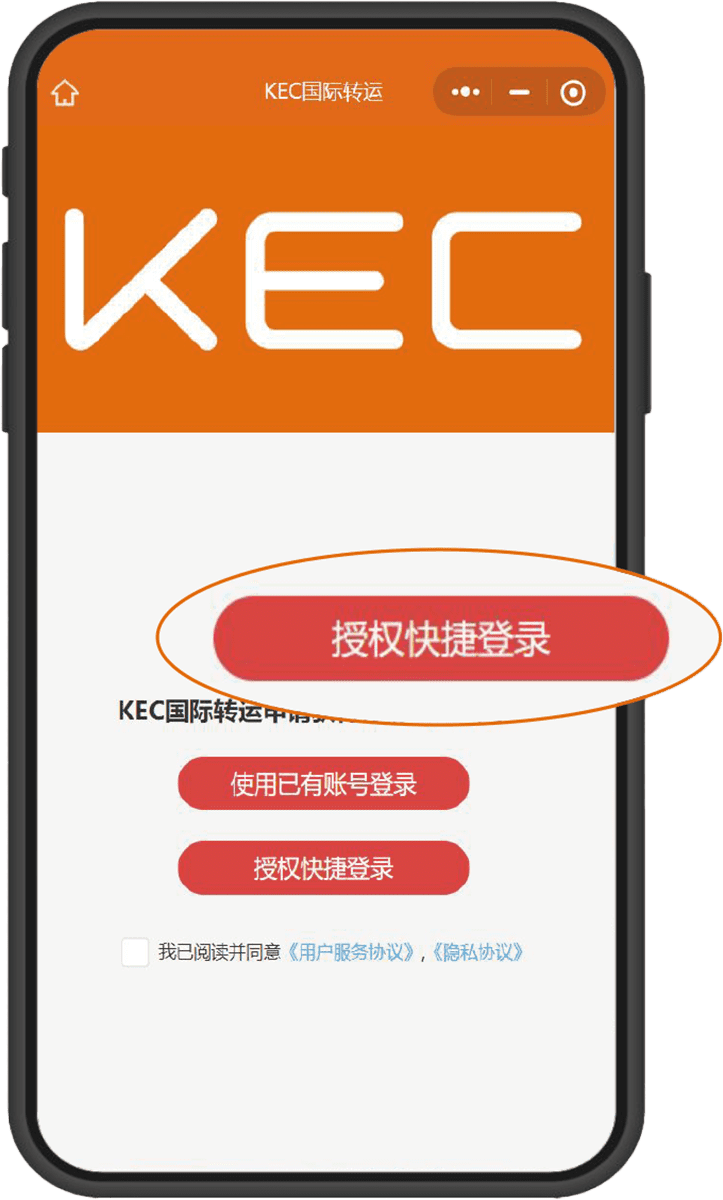
➋ Recommended for First-Time Registration
“Authorize Quick Login”
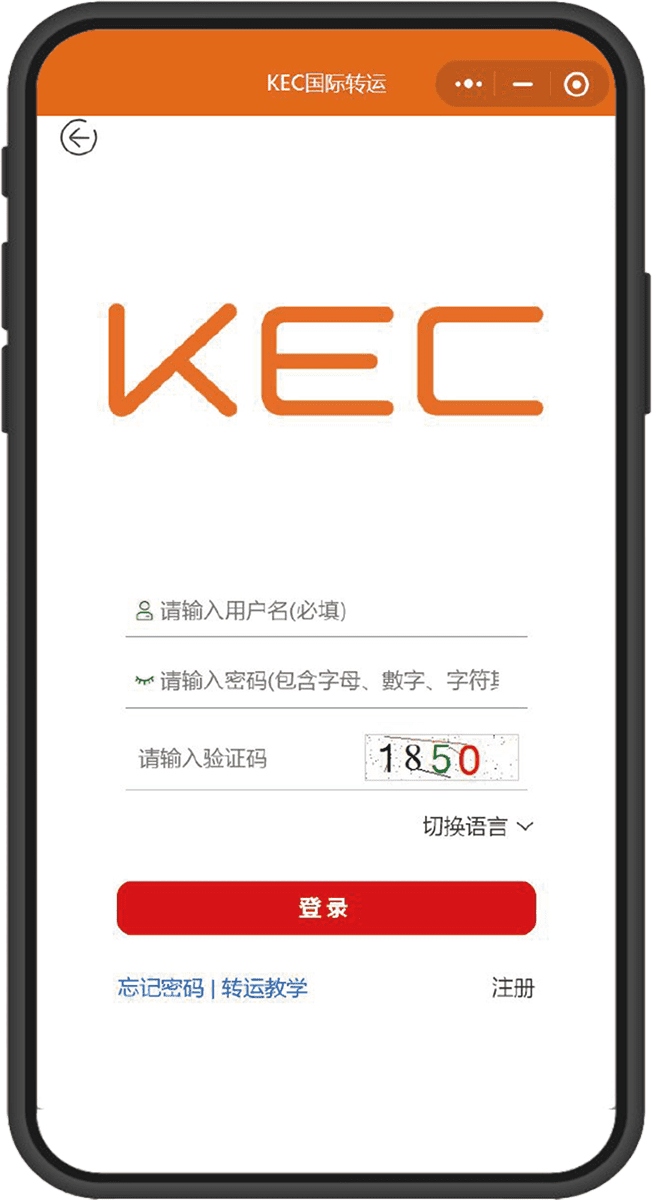
➌ Existing Account Selection
“Account Login”
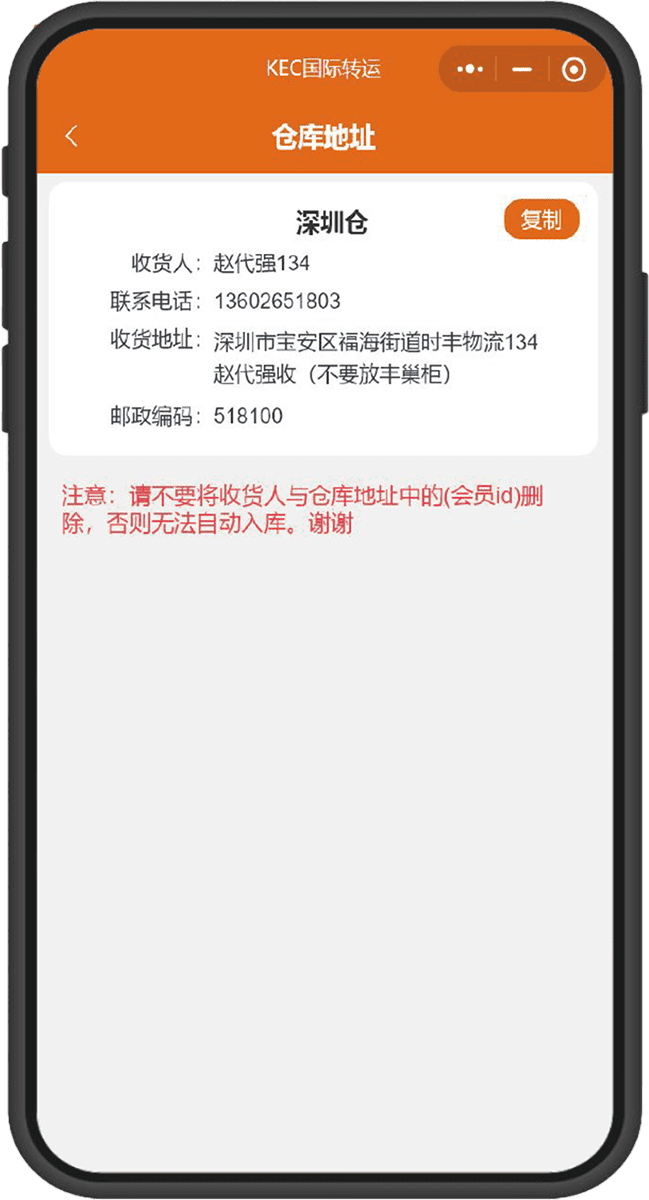
➊ Click to obtain
“Warehouse Address”
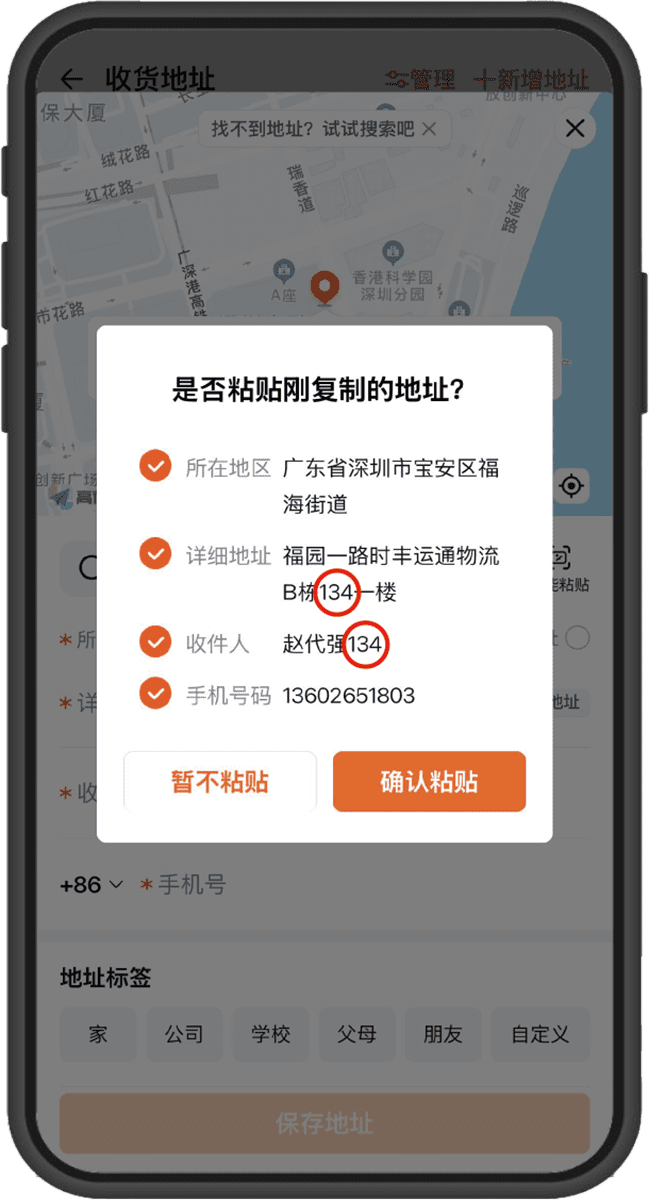
➋ Duplicate “Warehouse Location”
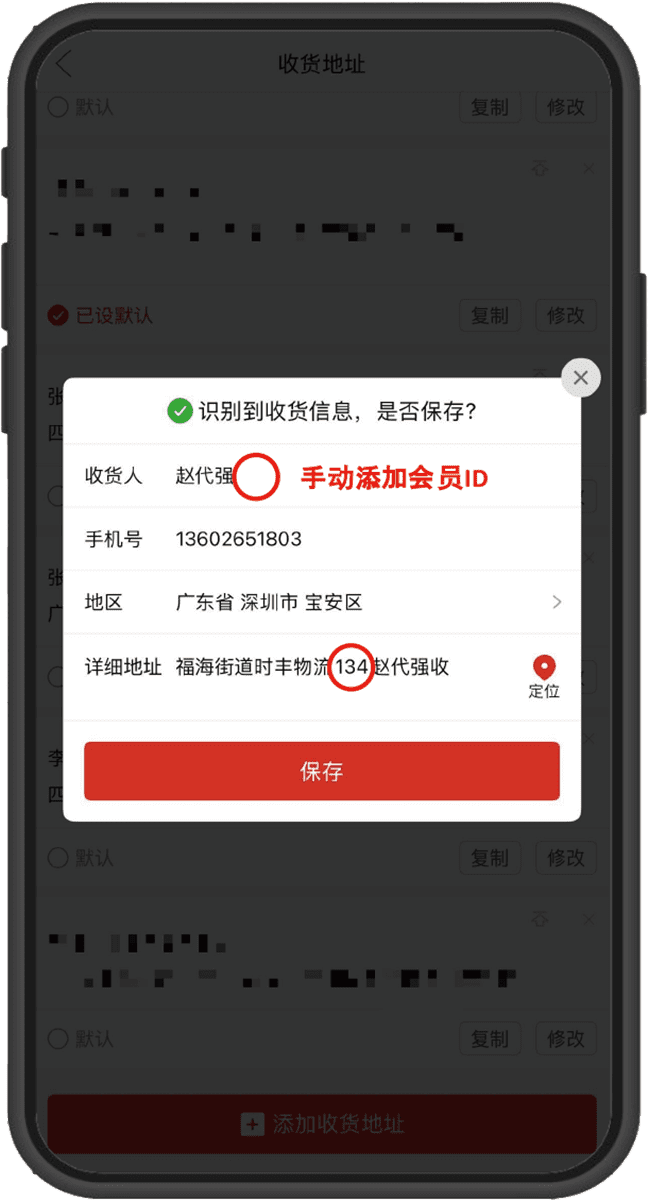
➌ Paste the address on the “E-commerce Platform”
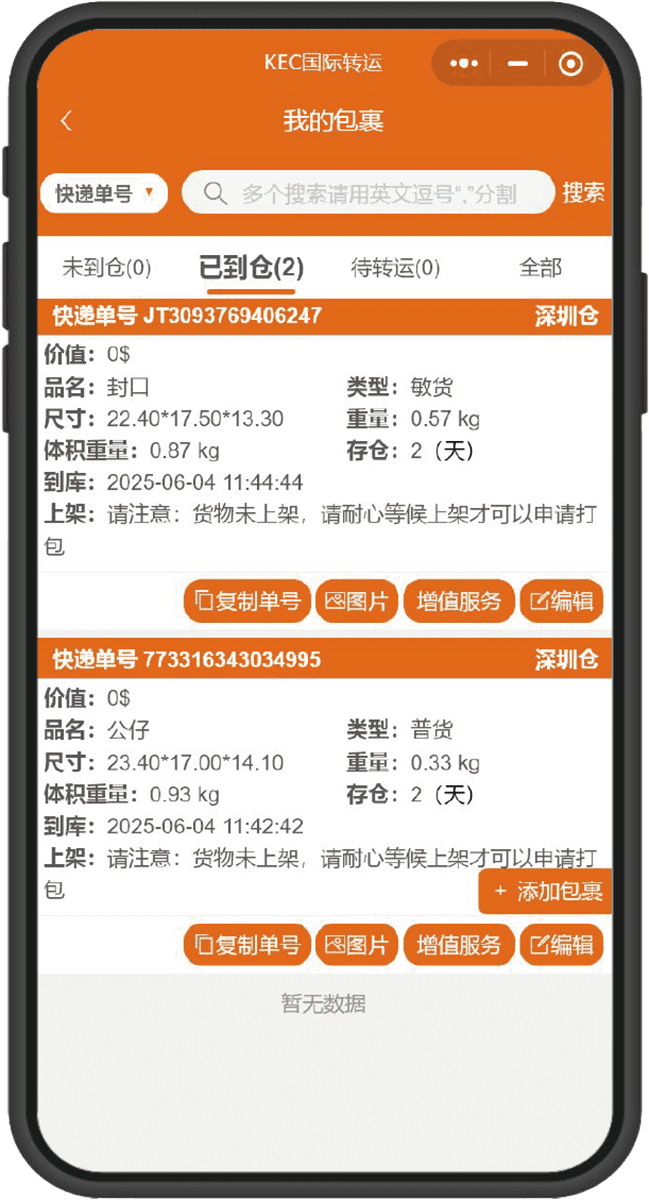
➊ No pre-report needed, warehouse staff
enter the warehouse package according to Member ID
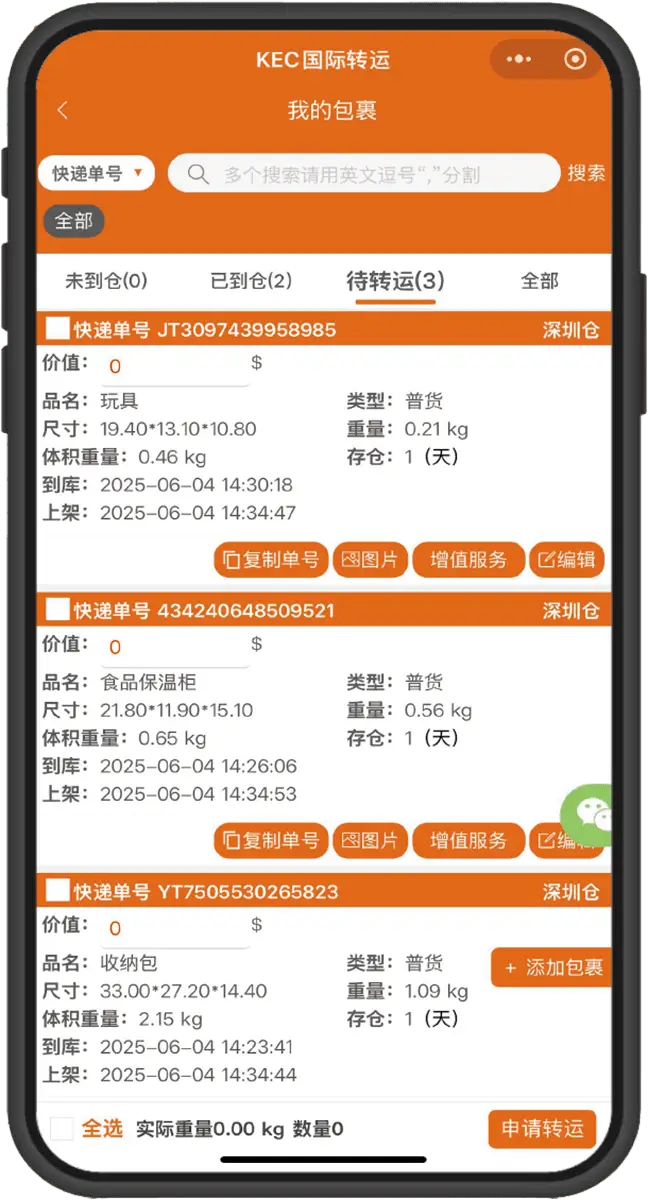
➋ Submit forwarding request
Must fill in the declared package value
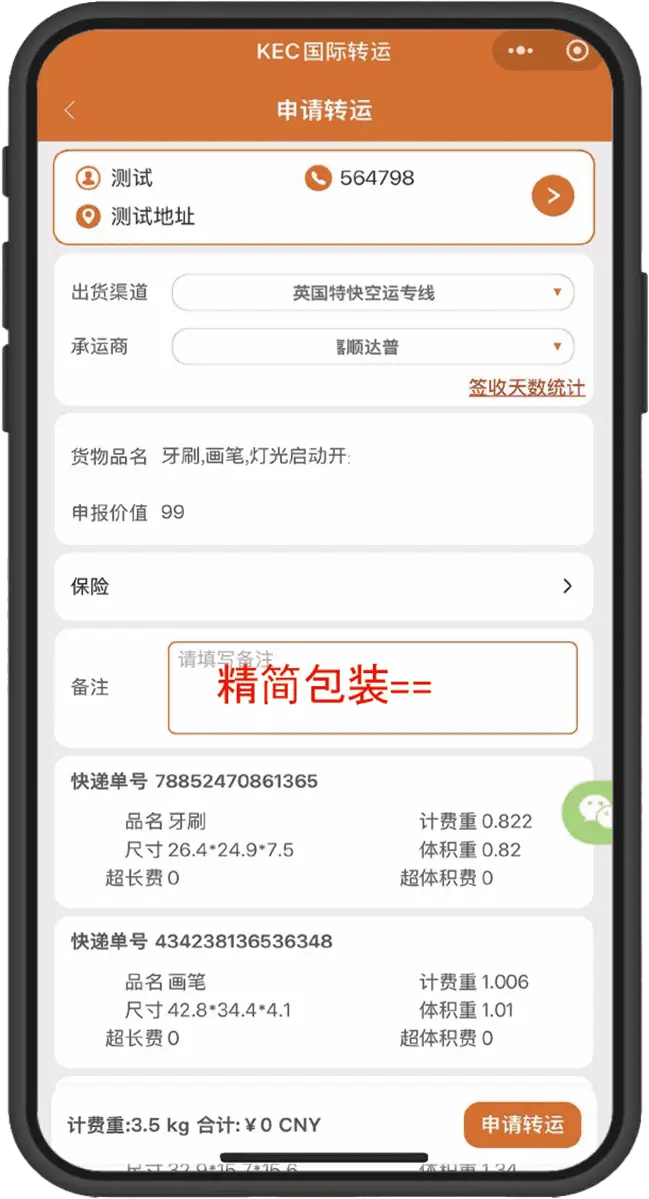
➌ Select delivery address and shipping channel
May include packing requirements
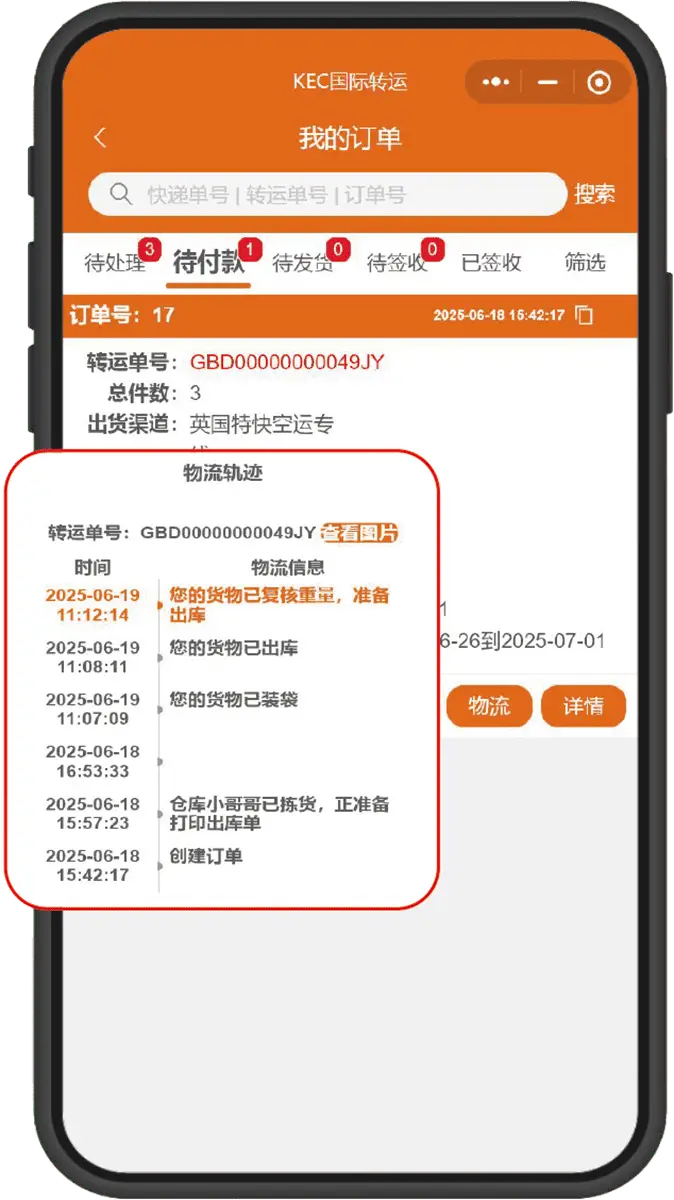
➊ After submitting the forwarding request
You can immediately check the packing progress
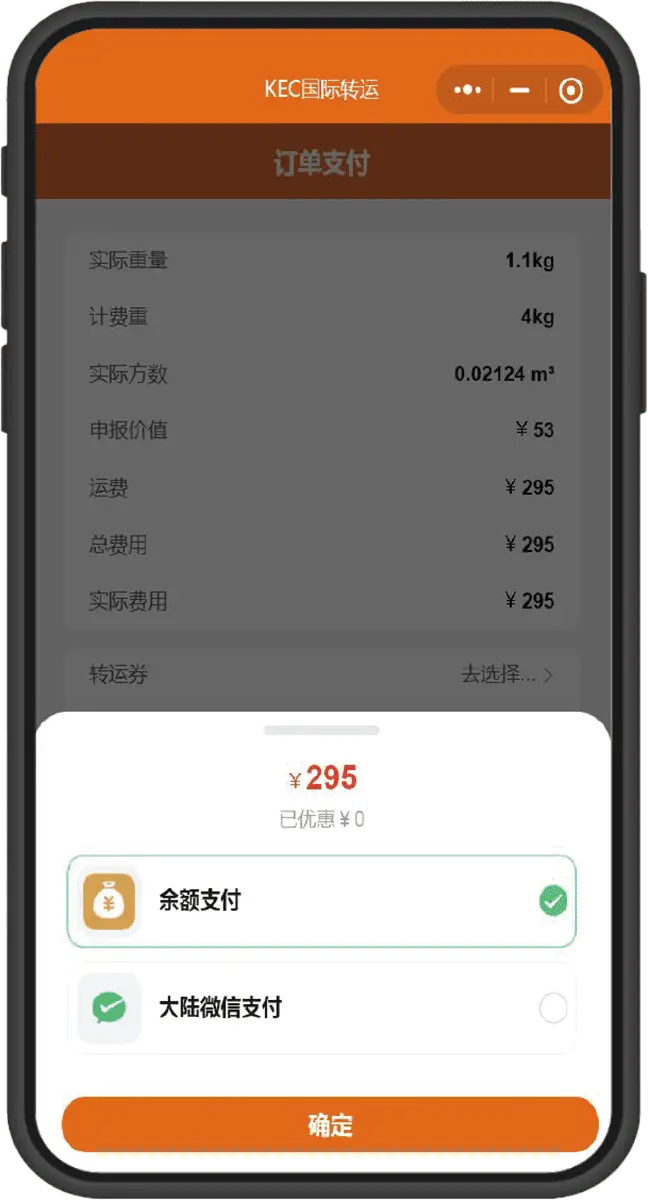
➋ After quantity verification and payment
Supports WeChat/Alipay payments
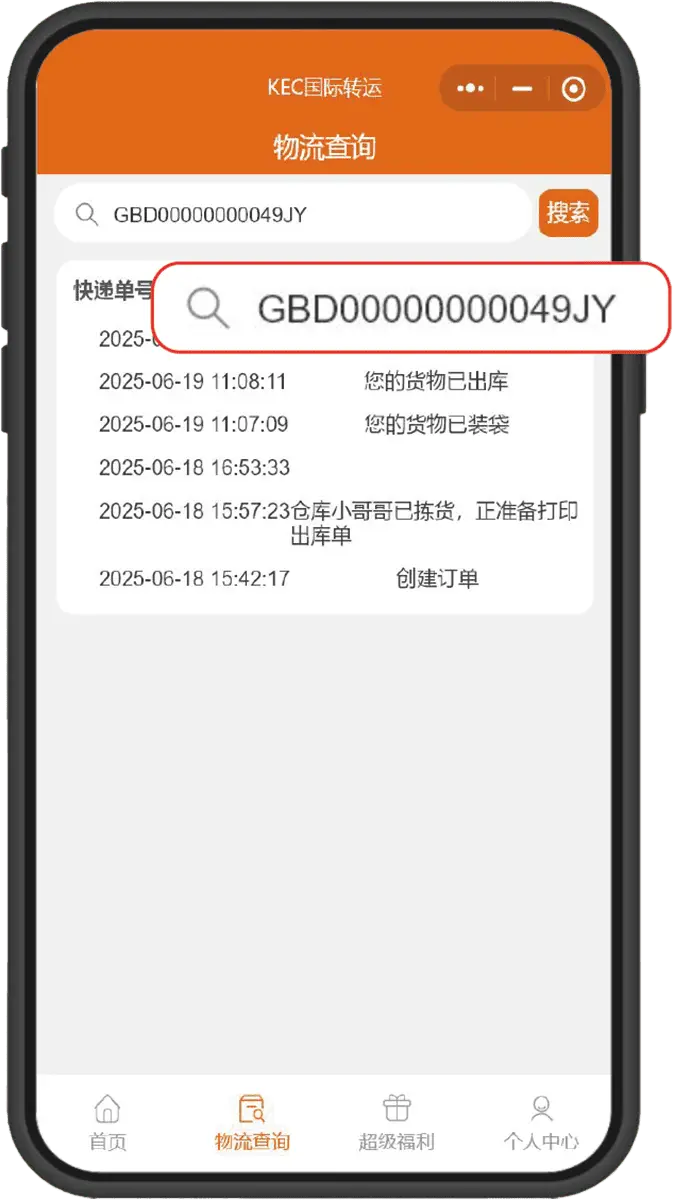
➌ After shipping, tracking the package
is available anytime via the forwarding order number
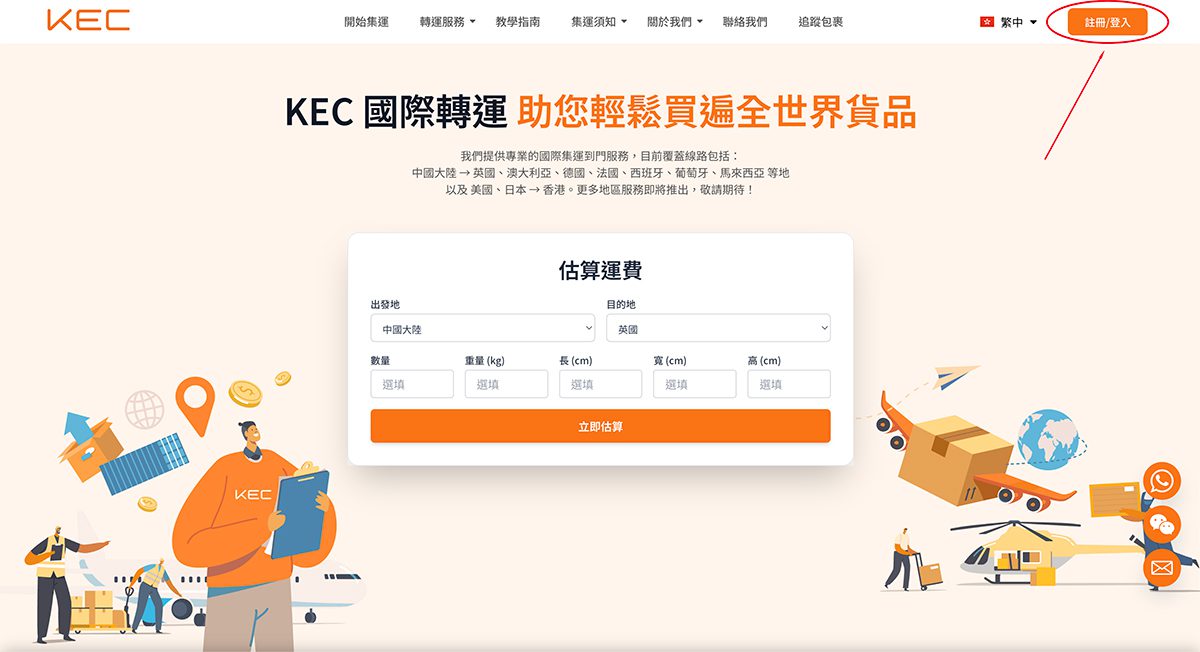
➊ Select immediate collection/registration
The system will redirect to the order page
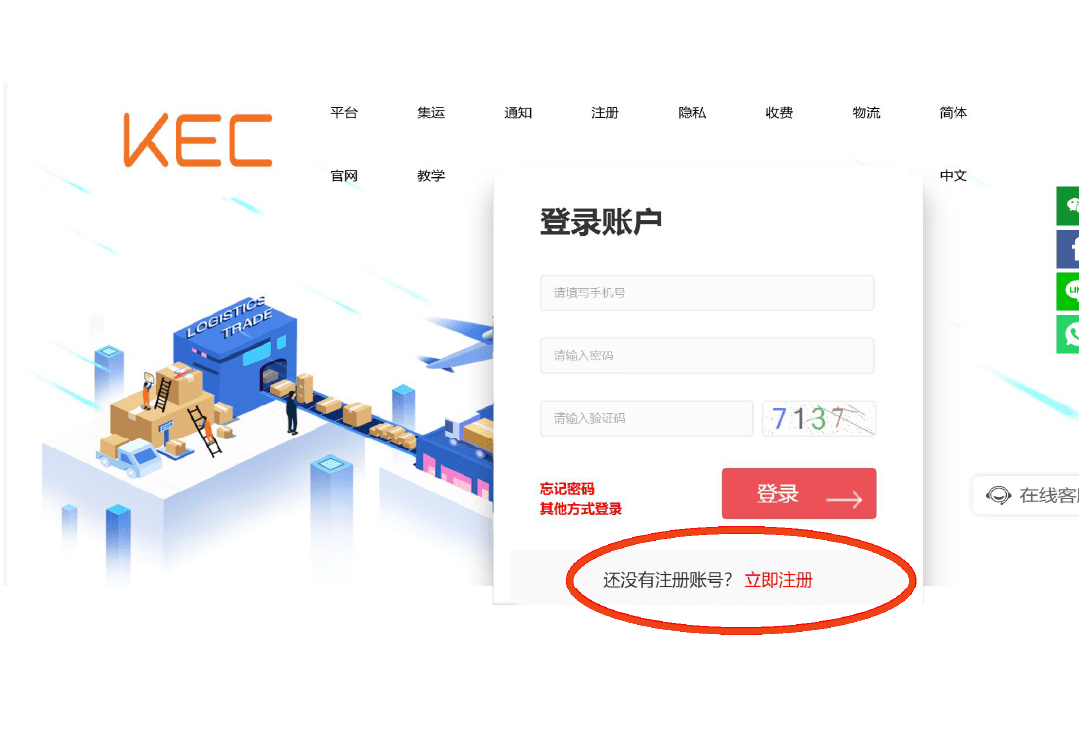
➋ Existing account can log in directly. First-time registration can select immediate registration
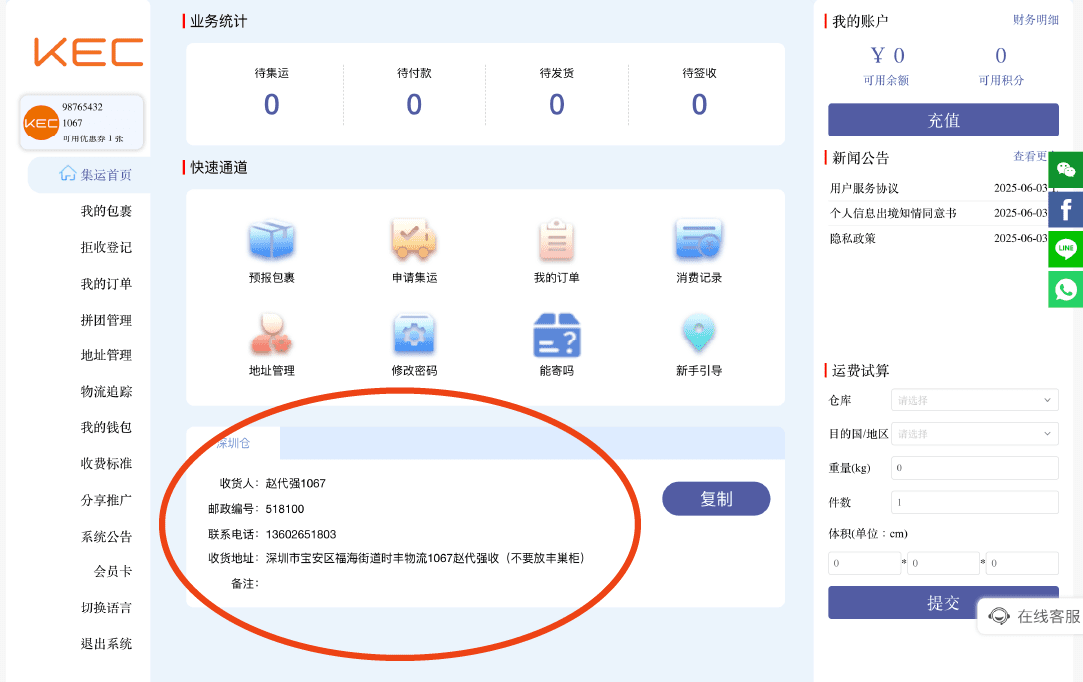
➊ Red circle indicates warehouse address and recipient information
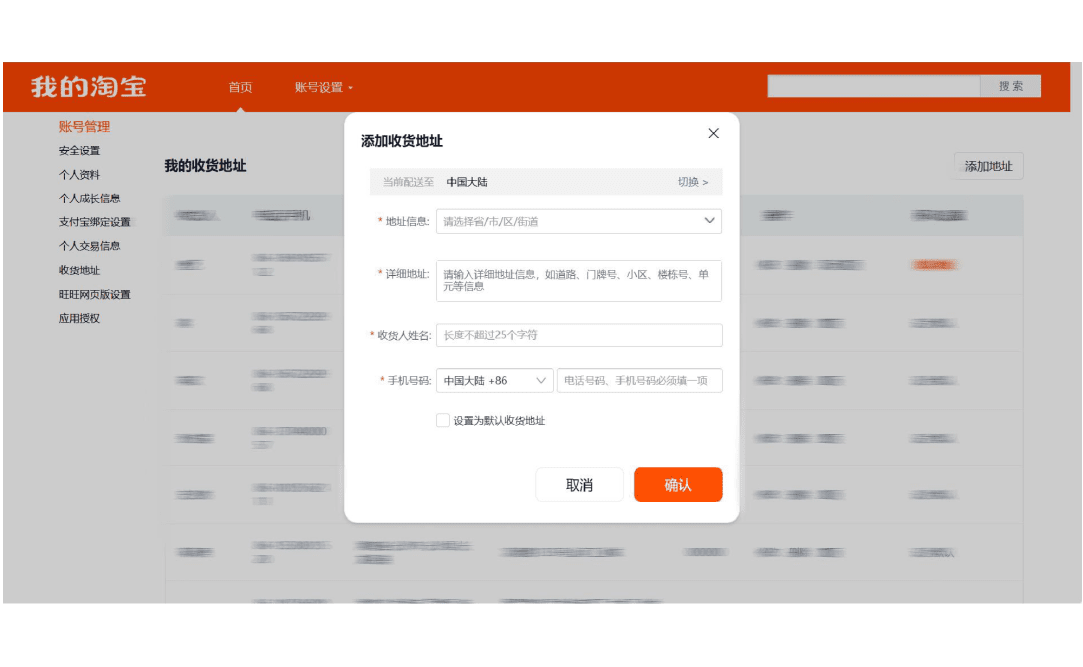
➋ Duplicate warehouse address and recipient information to the shopping platform
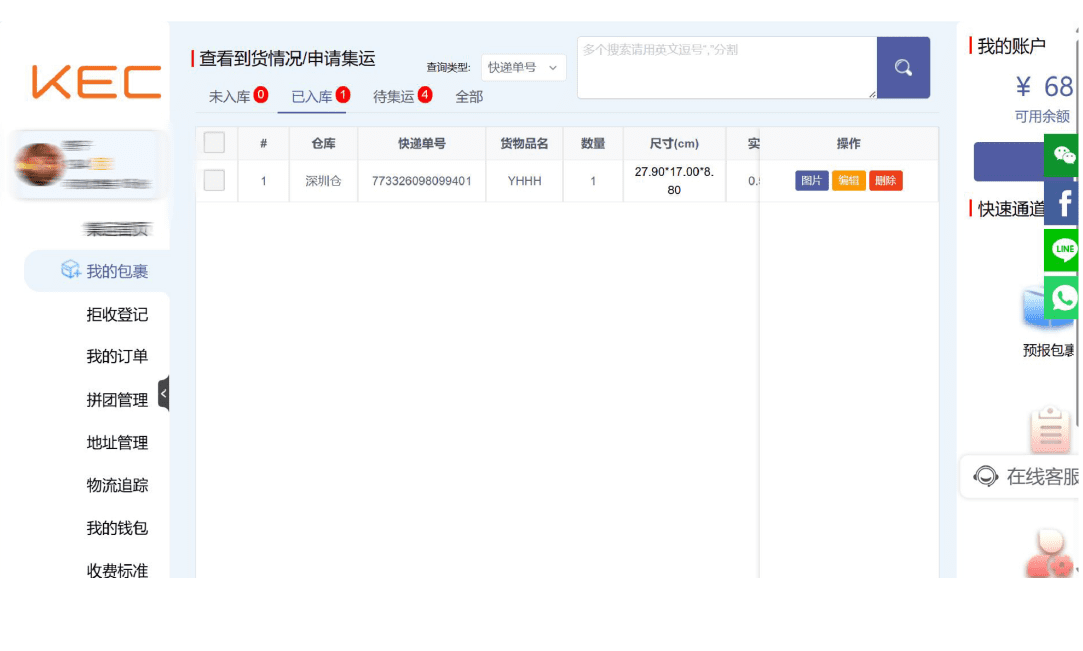
➊ No pre-report needed, warehouse staff
enter the warehouse package according to Member ID
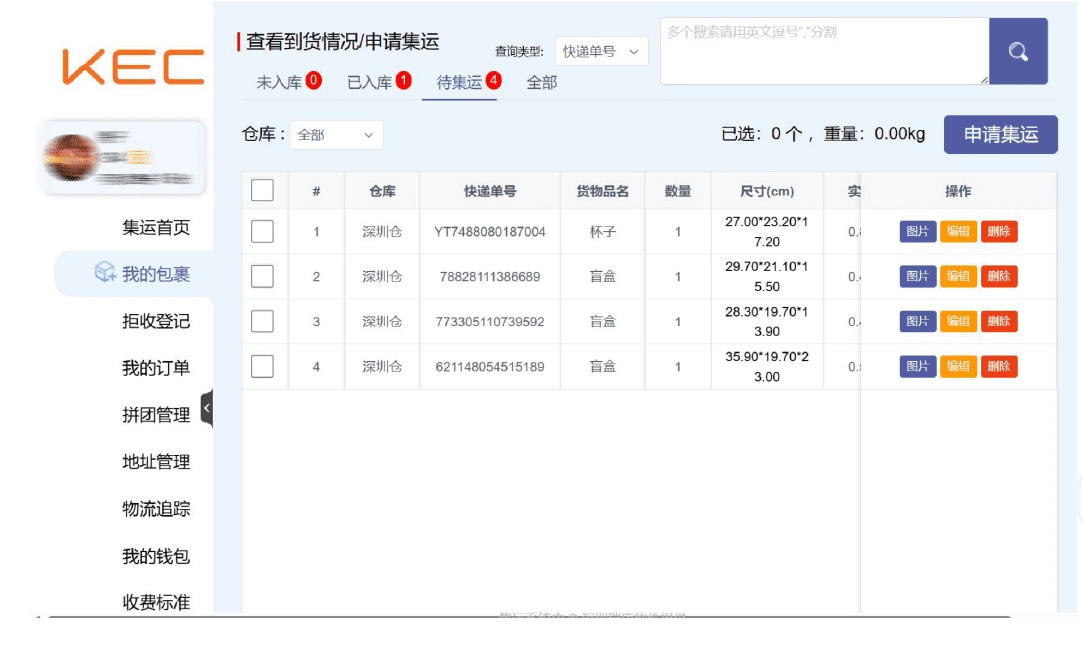
➋ Submit forwarding request, must fill in
the declared value of the single package
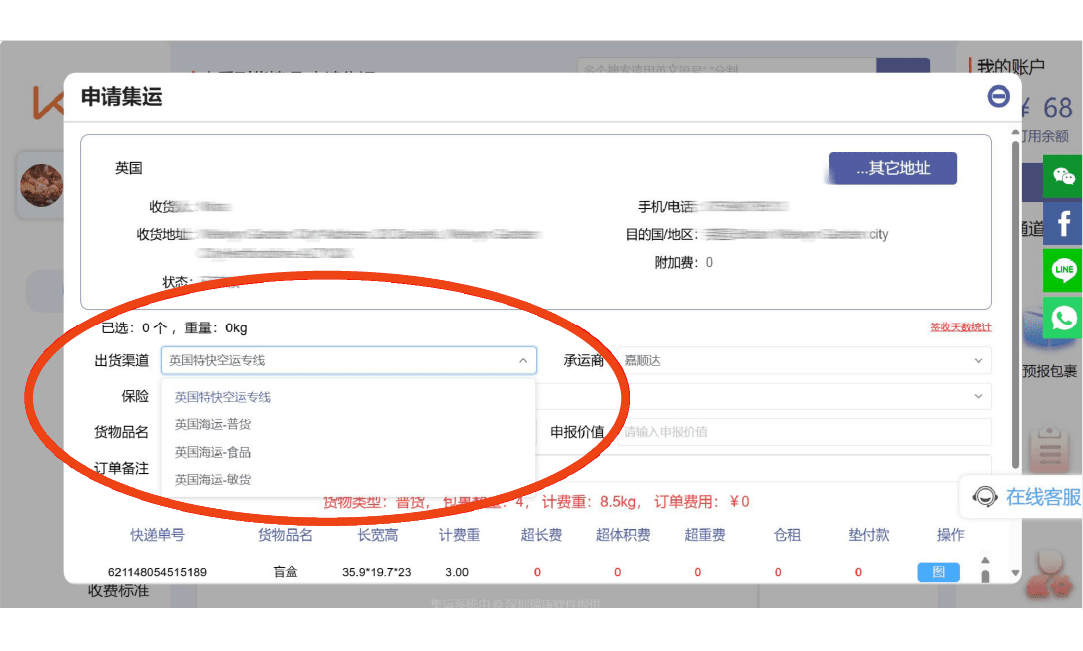
➌Select delivery address and shipping channel
May include packing requirements
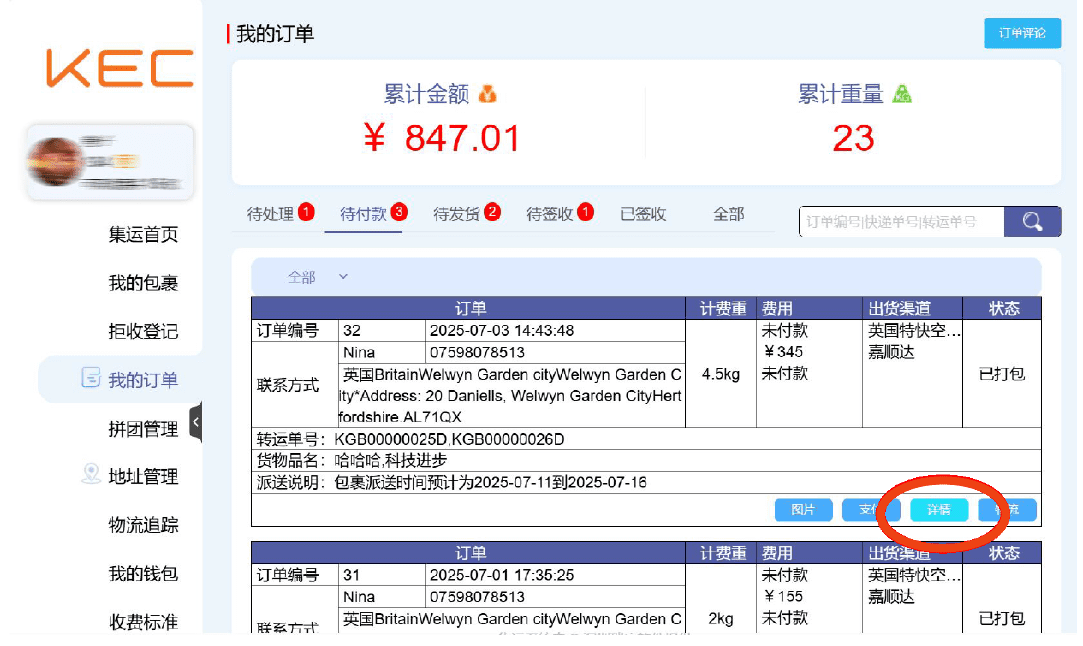
➊ After submitting forwarding request, details can be selected Immediately check packing progress
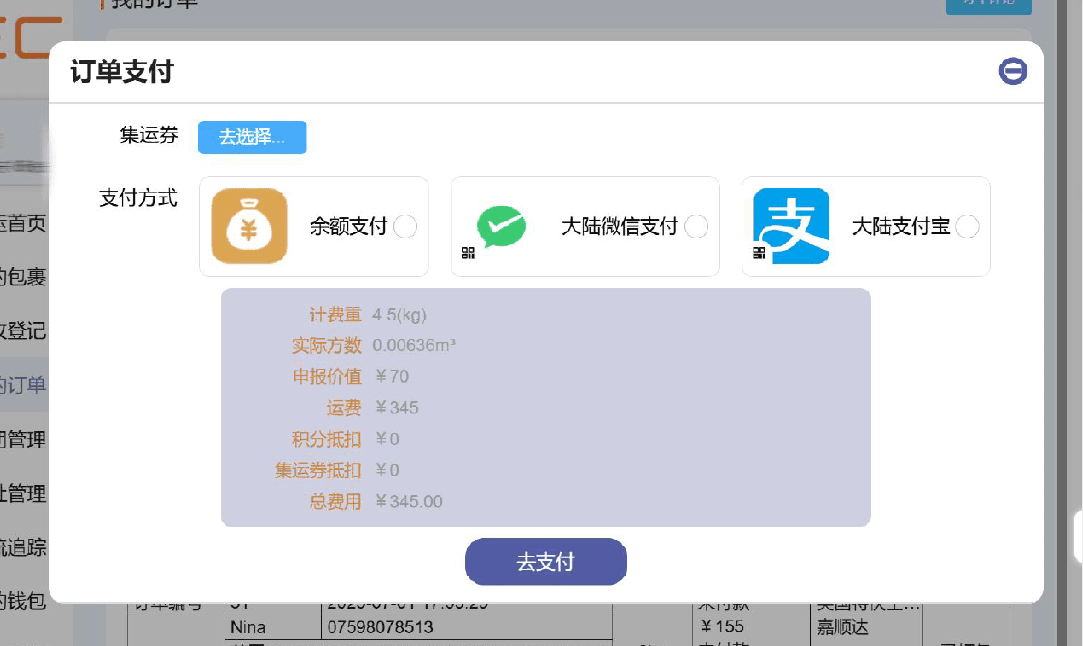
➋ After quantity verification and payment
Supports WeChat/Alipay payments
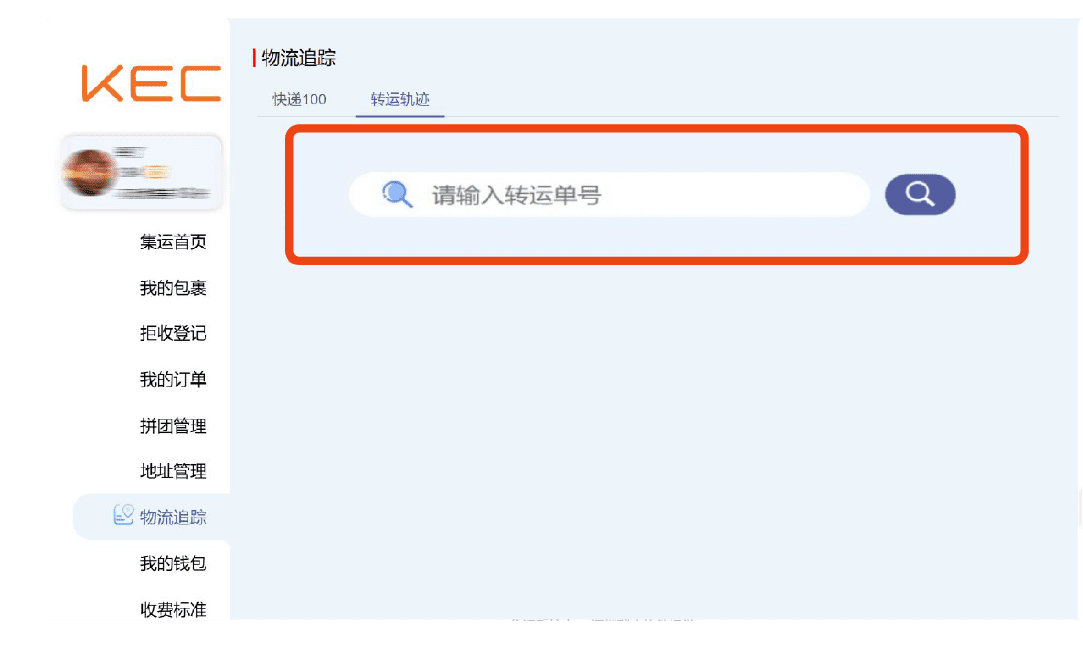
➌ After shipping, tracking the package is available anytime via the forwarding order number
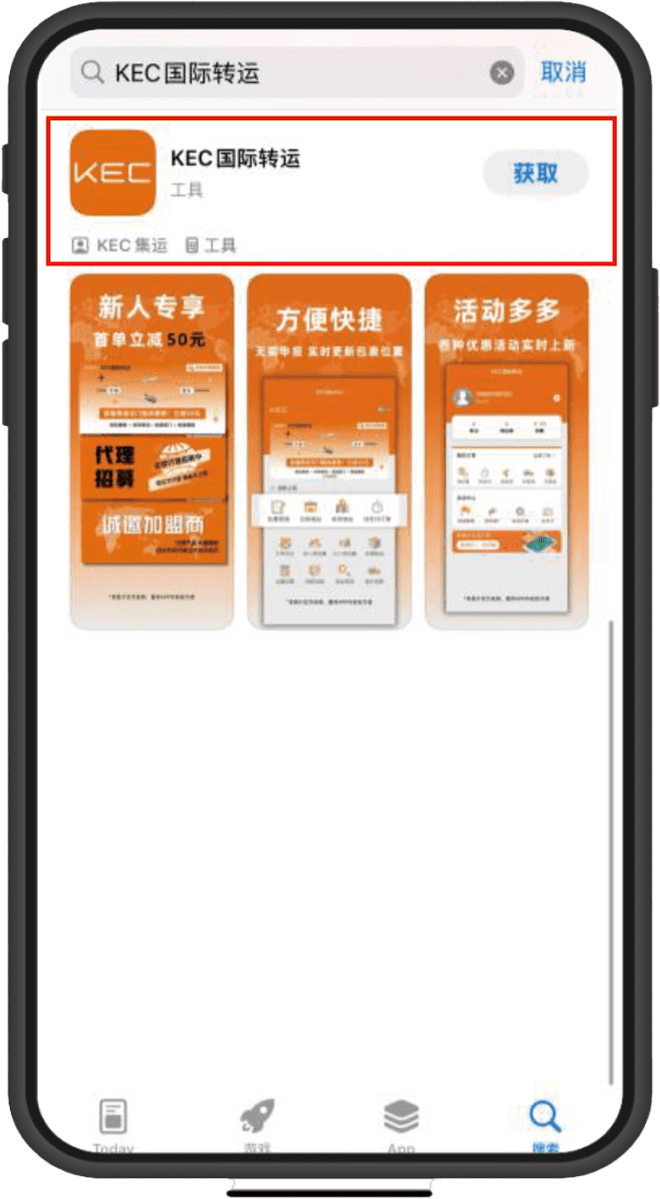
➊ APP Store Search
“KEC International Shipping” and download
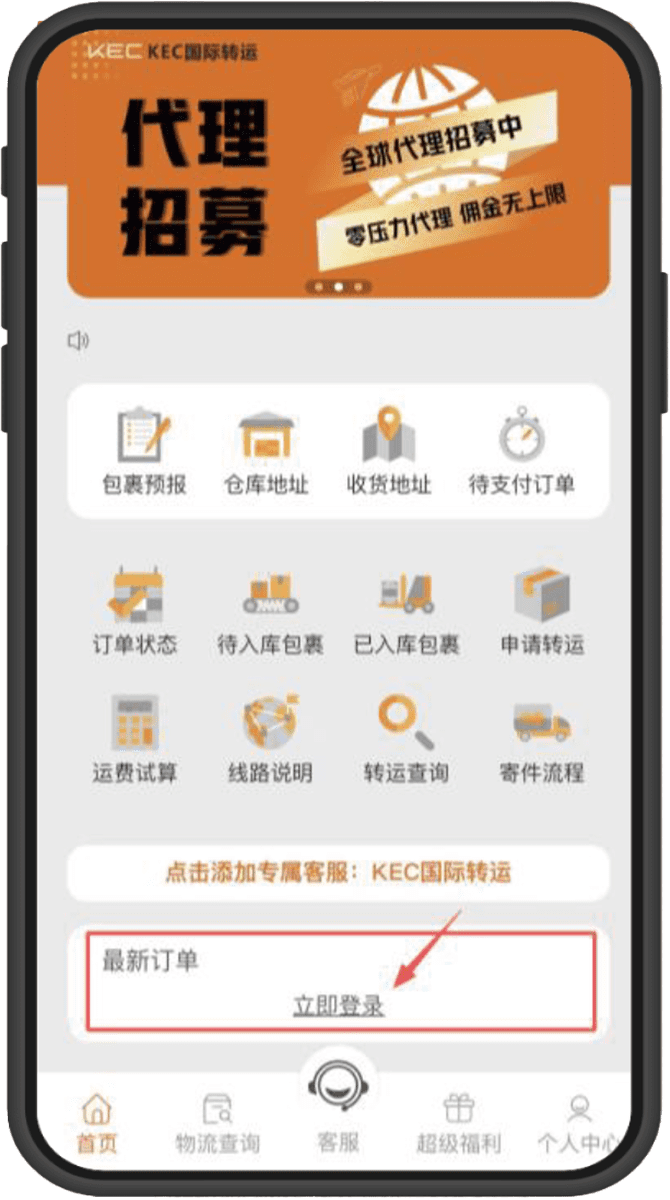
➋ After download is complete, enter the app homepage
Click "Login Now"
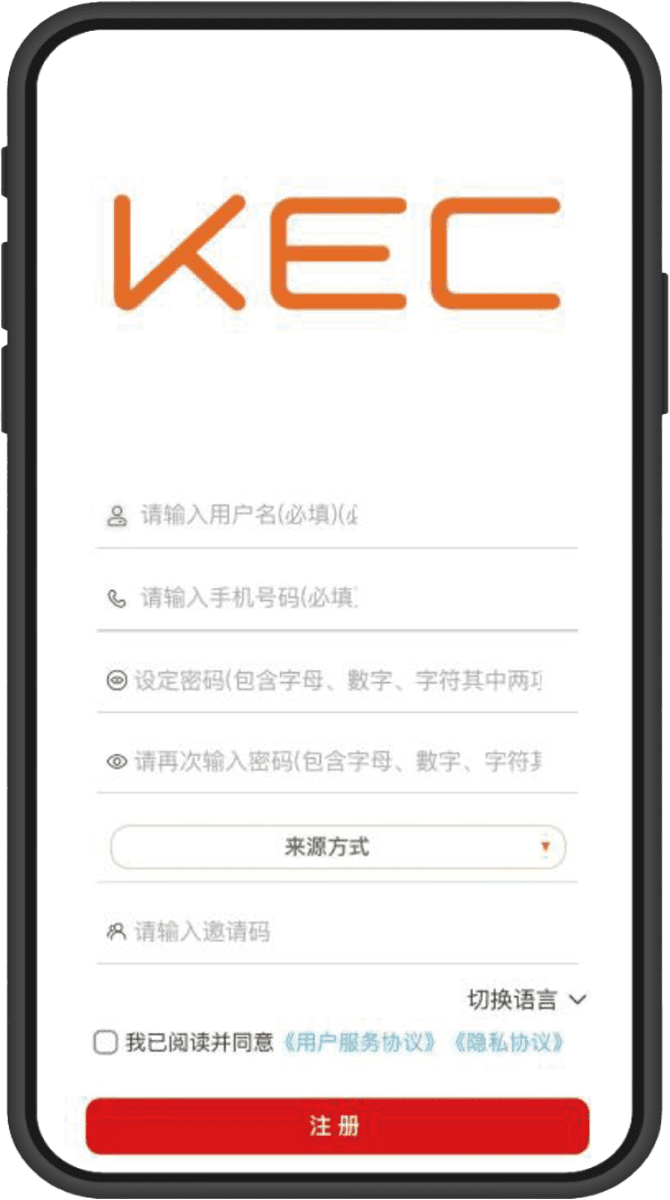
➌ Account Registration/Login
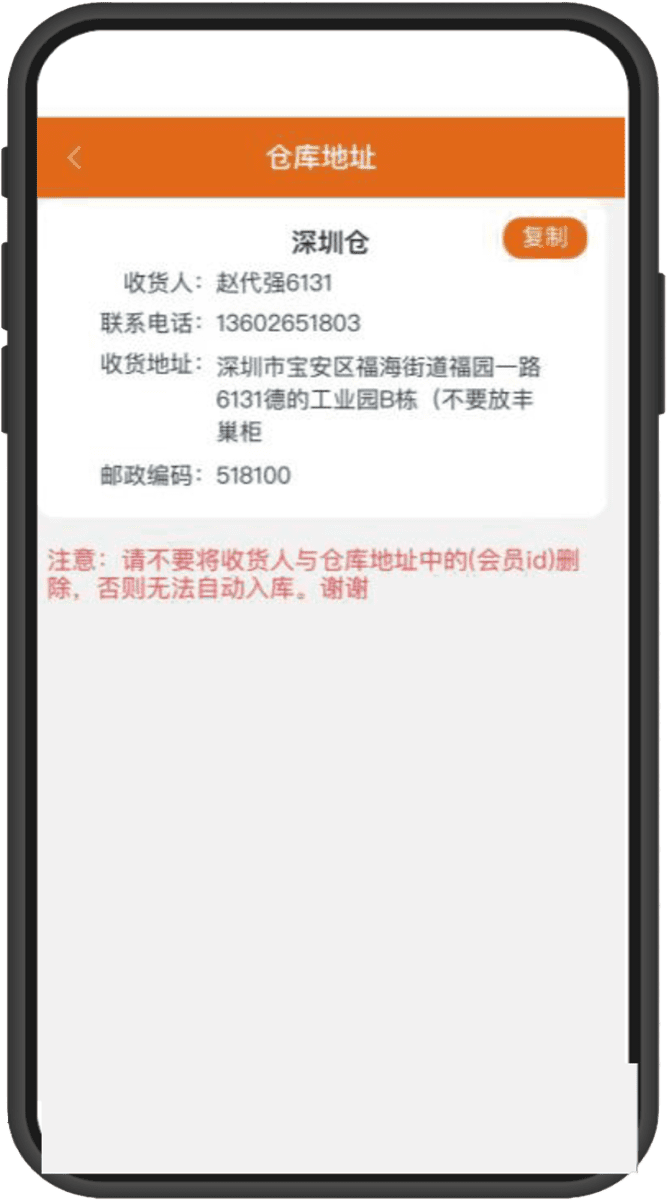
➊ After login, click on the homepage
“Warehouse Address”
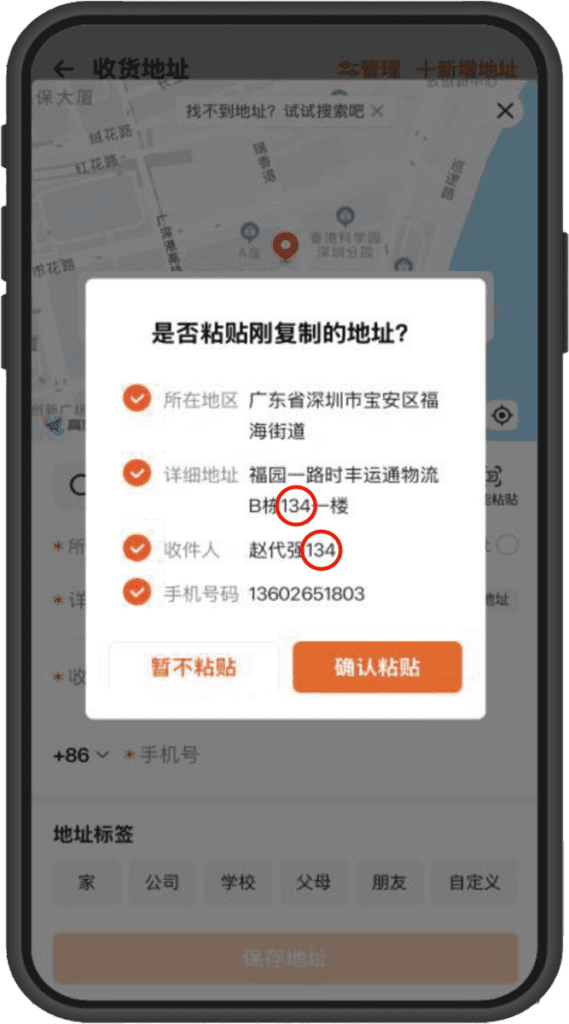
➋ Copy the "Warehouse Address"
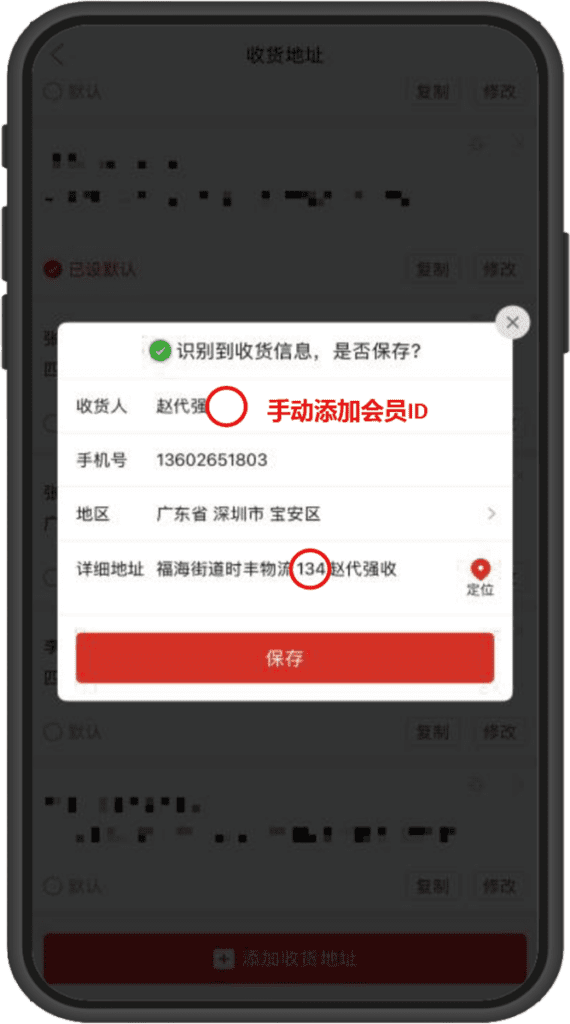
➌ Paste the address on the "E-commerce Platform"
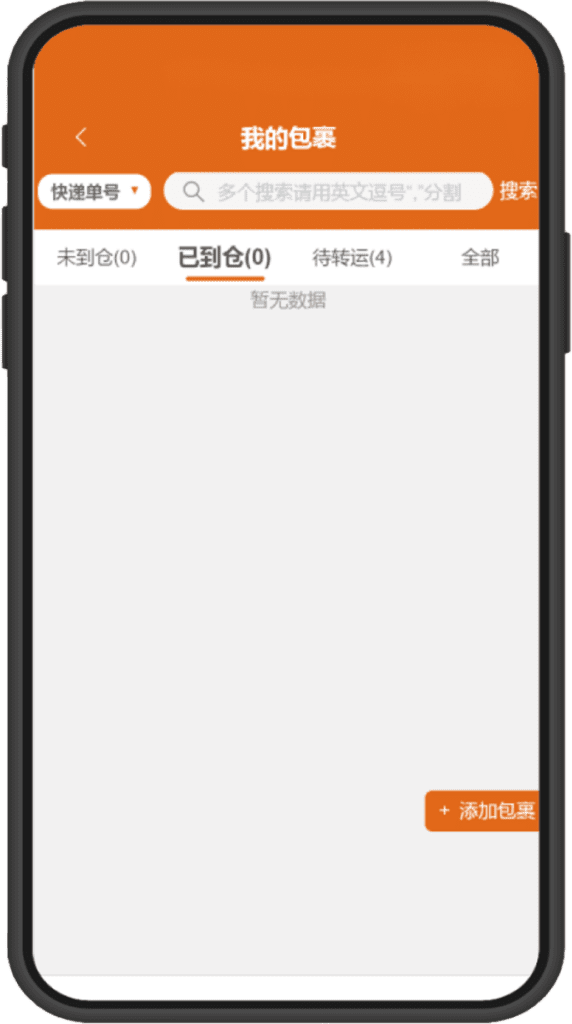
➊ No pre-report needed, warehouse staff
will warehouse according to member ID
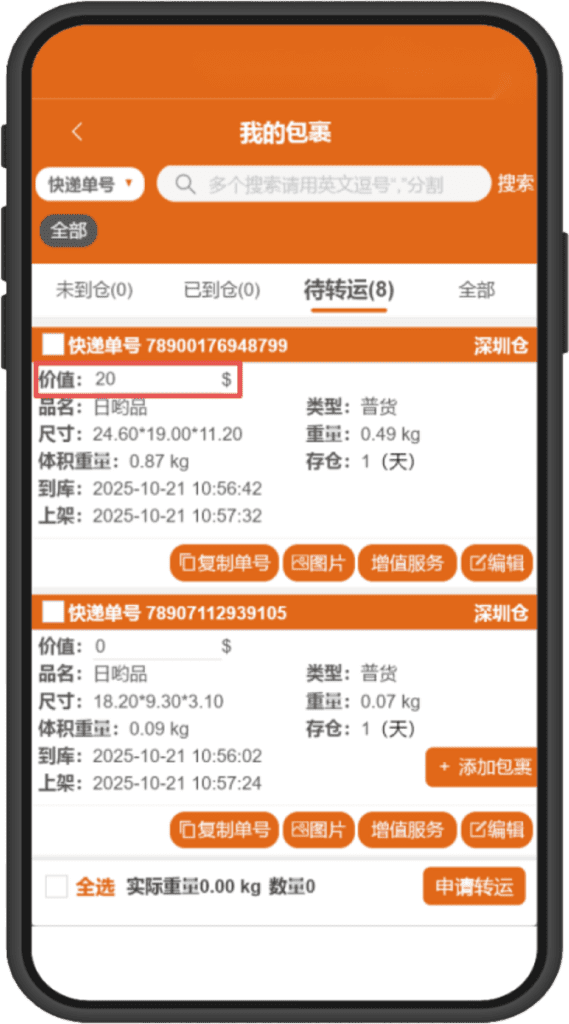
➋ Before applying for shipping, you must fill in
the declared value of individual packages
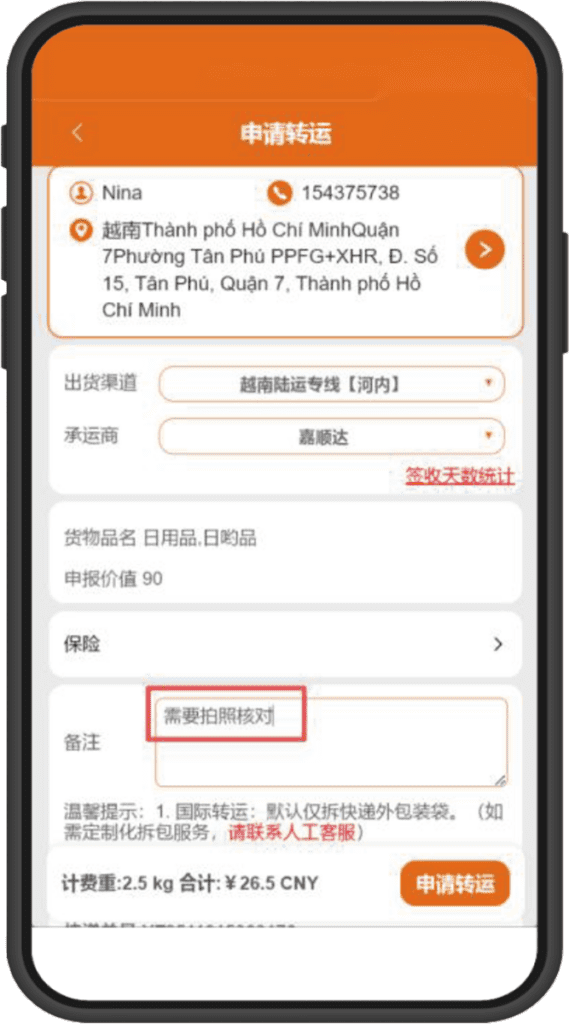
➌ Select the delivery address and shipping method,
with optional packing requirements and others
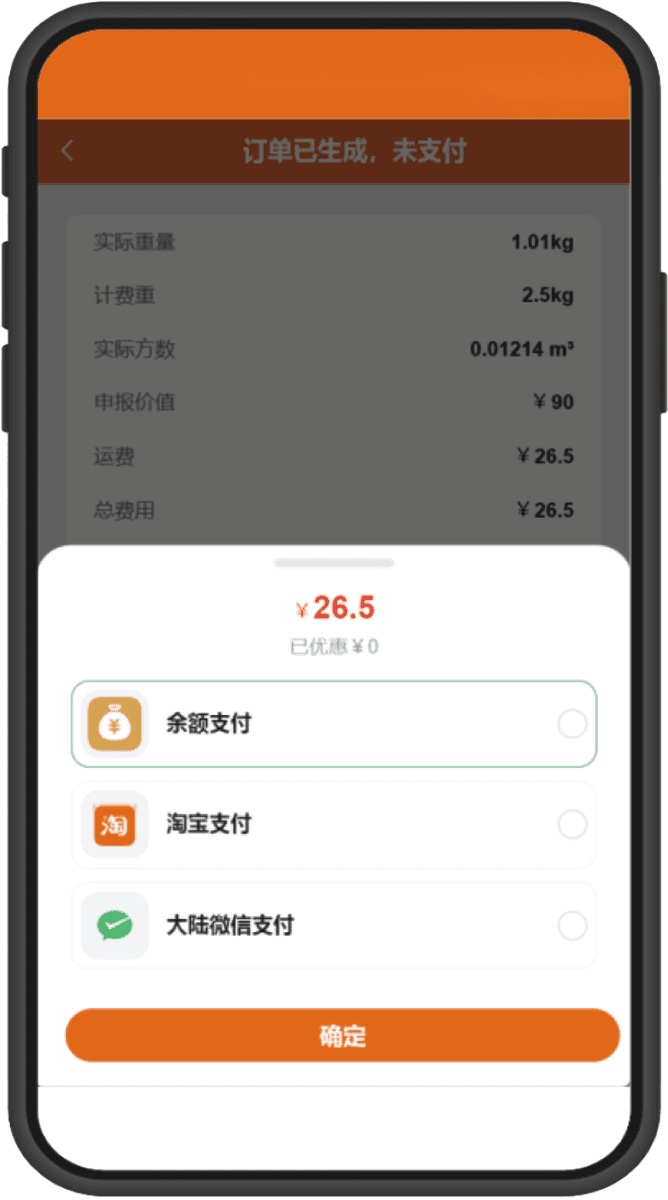
➊ After applying, the system calculates the price
You can select multiple payment methods
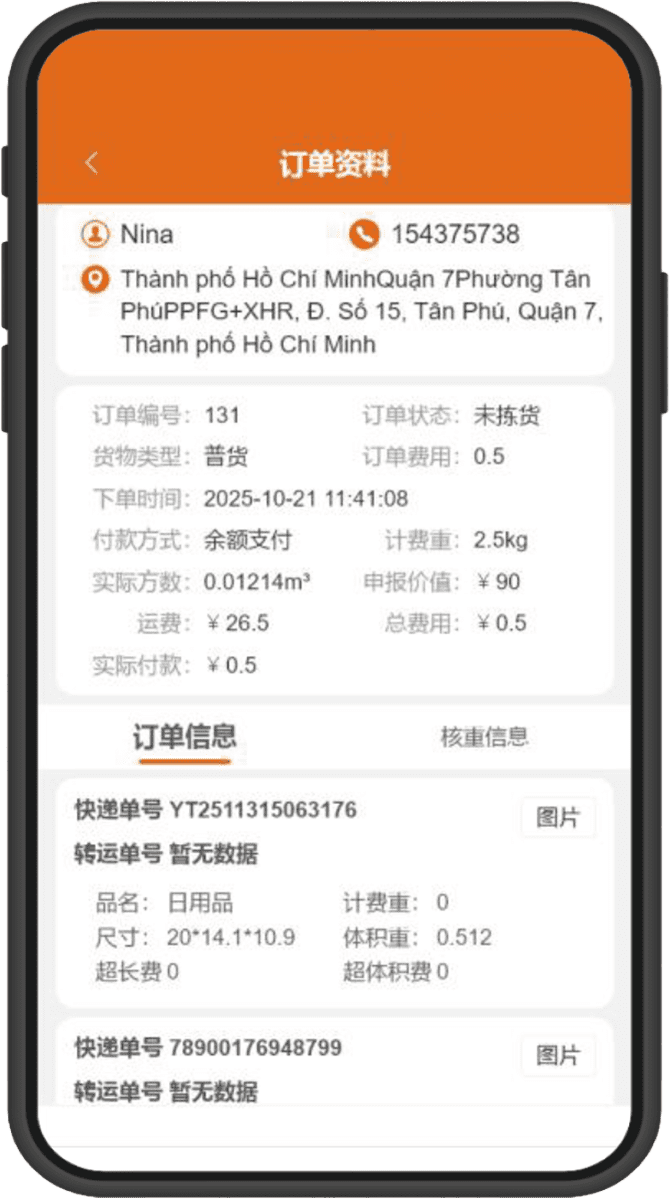
➋ Payment successful
The warehouse receives the order and ships
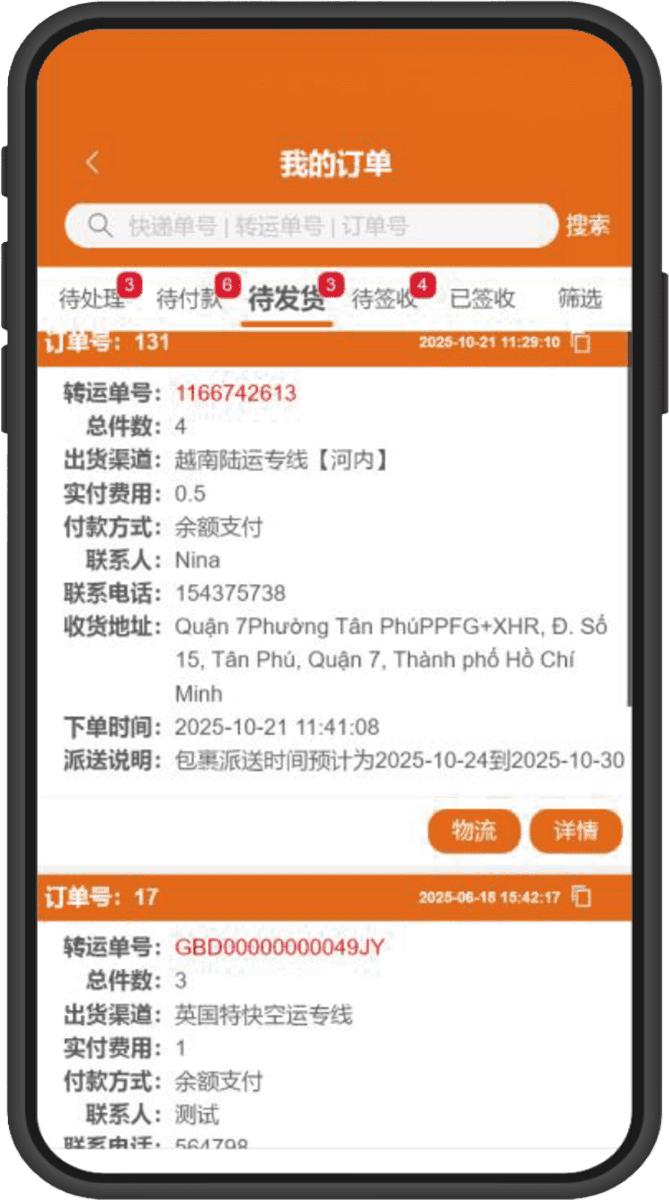
➌ After shipping, you can click to track the goods
and immediately view the logistics trajectory

➊ Scan below
“QR Code” and download
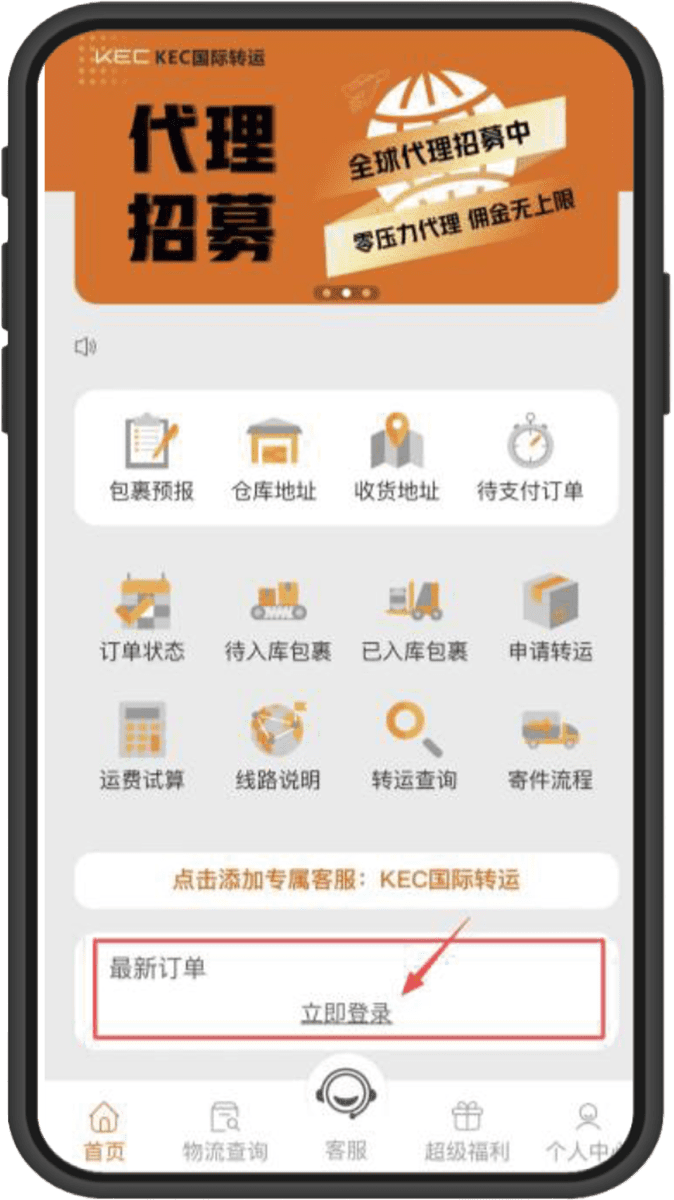
➋ After download is complete, enter the app homepage
Click "Login Now"
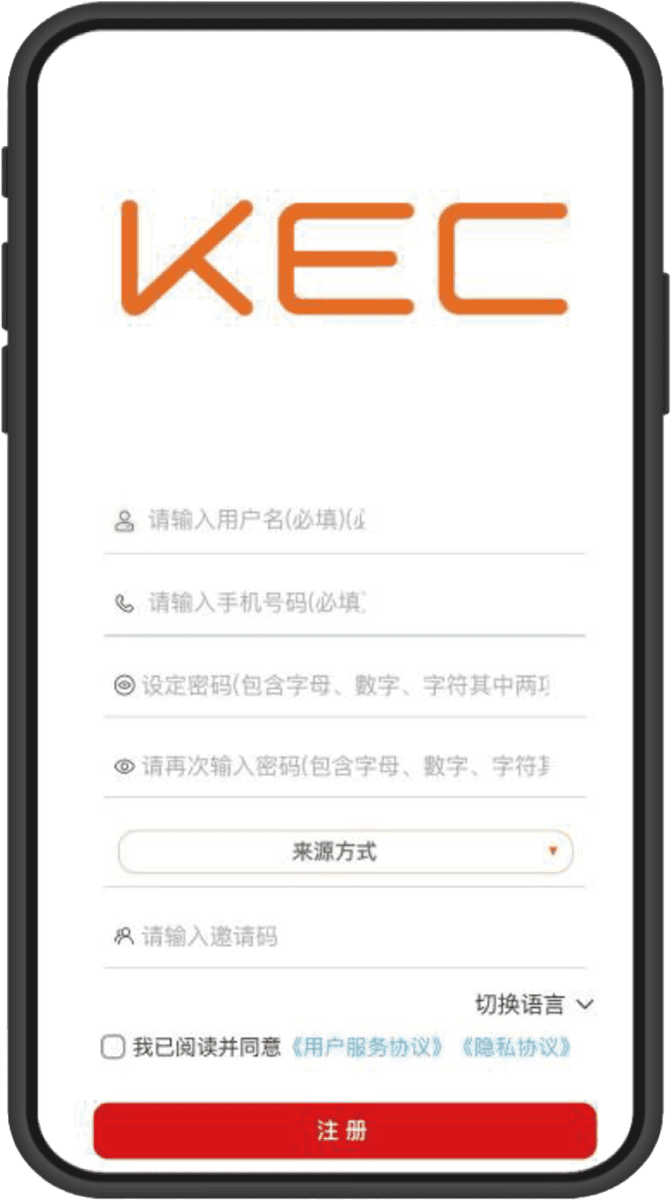
➌ Account Registration/Login
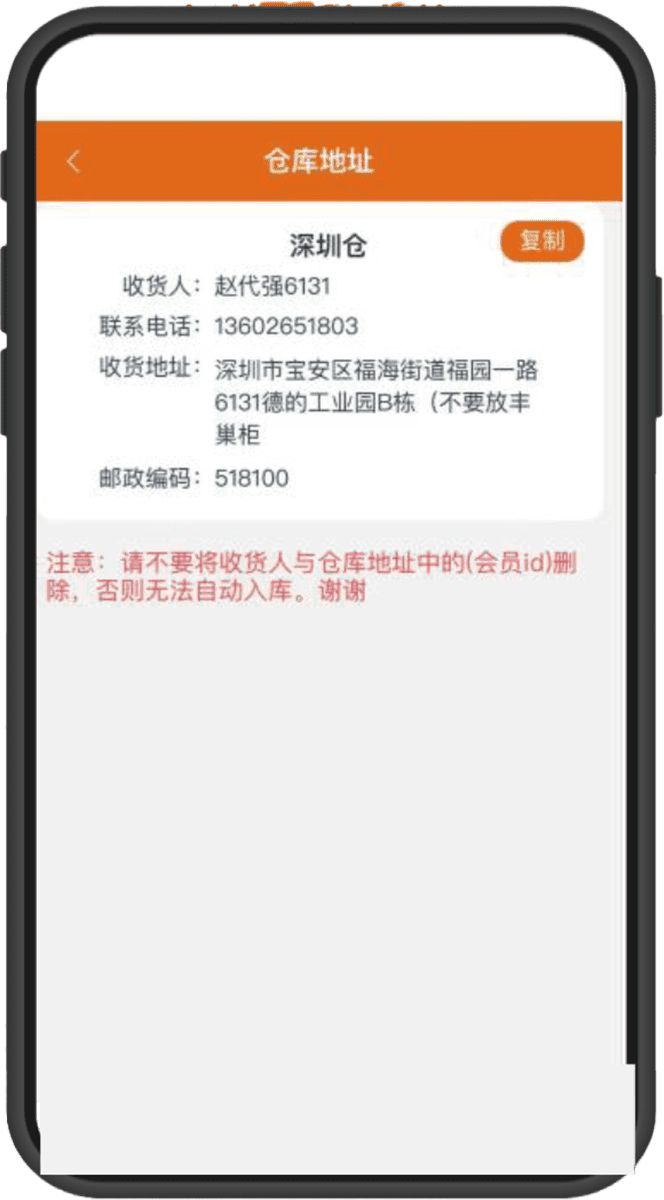
➊ After login, click on the homepage
“Warehouse Address”
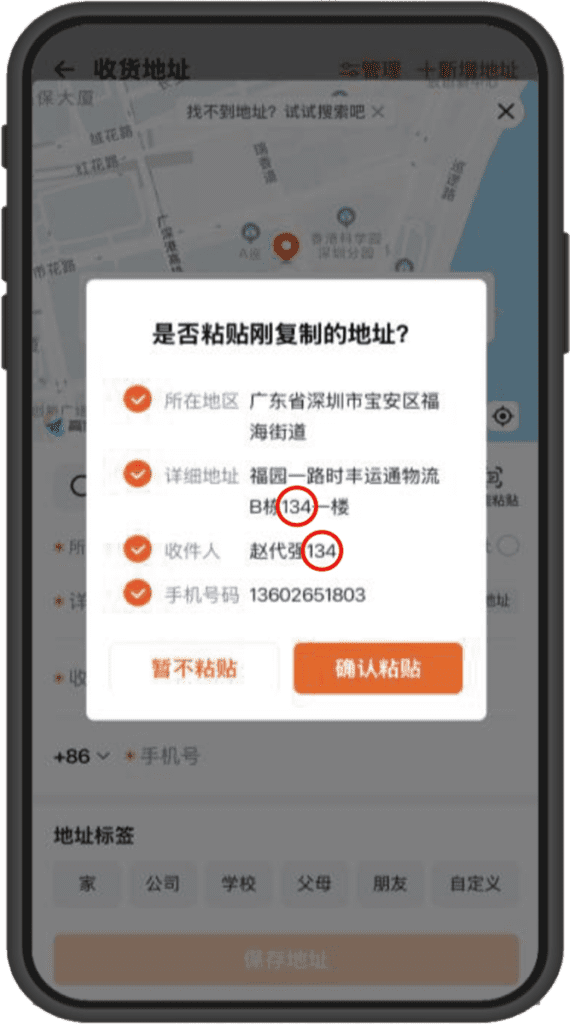
➋ Copy the "Warehouse Address"
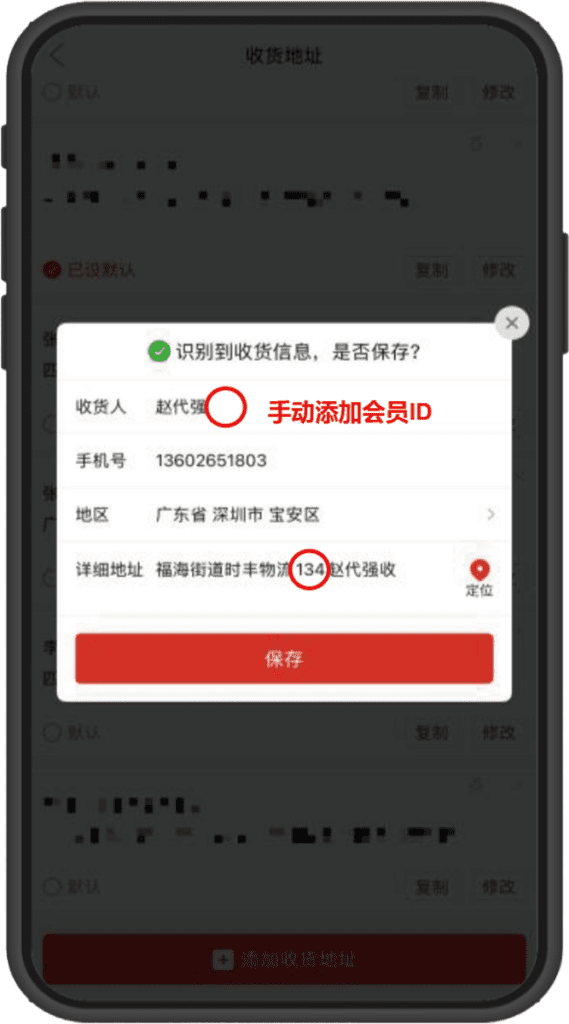
➌ Paste the address on the "E-commerce Platform"
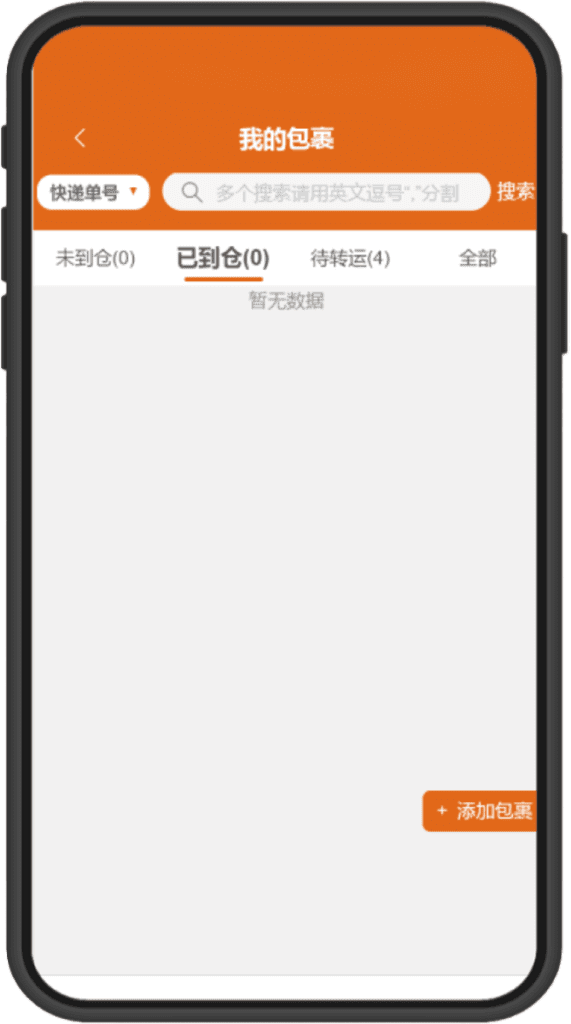
➊ No pre-report needed, warehouse staff
will warehouse according to member ID
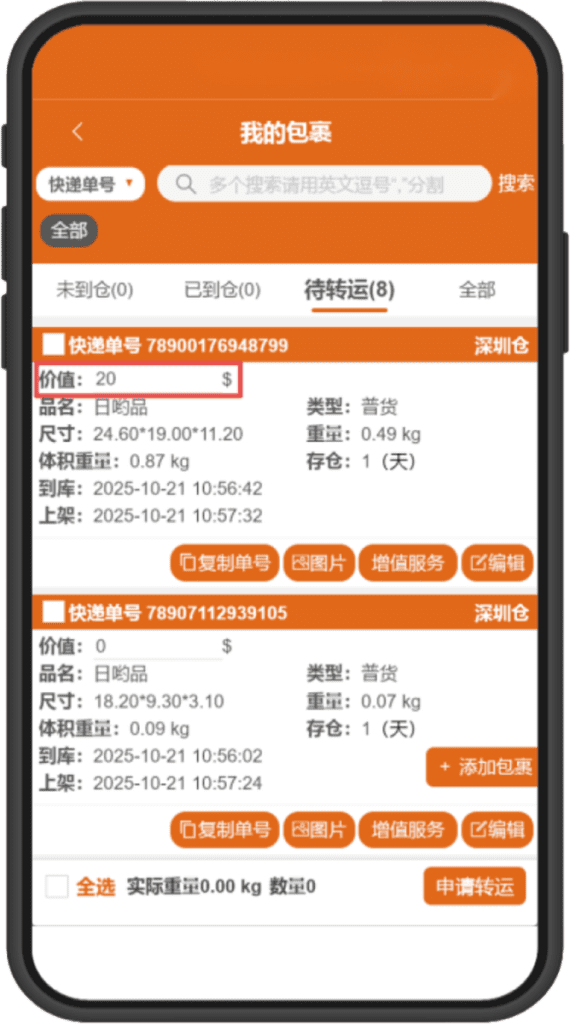
➋ Before applying for shipping, you must fill in
the declared value of individual packages
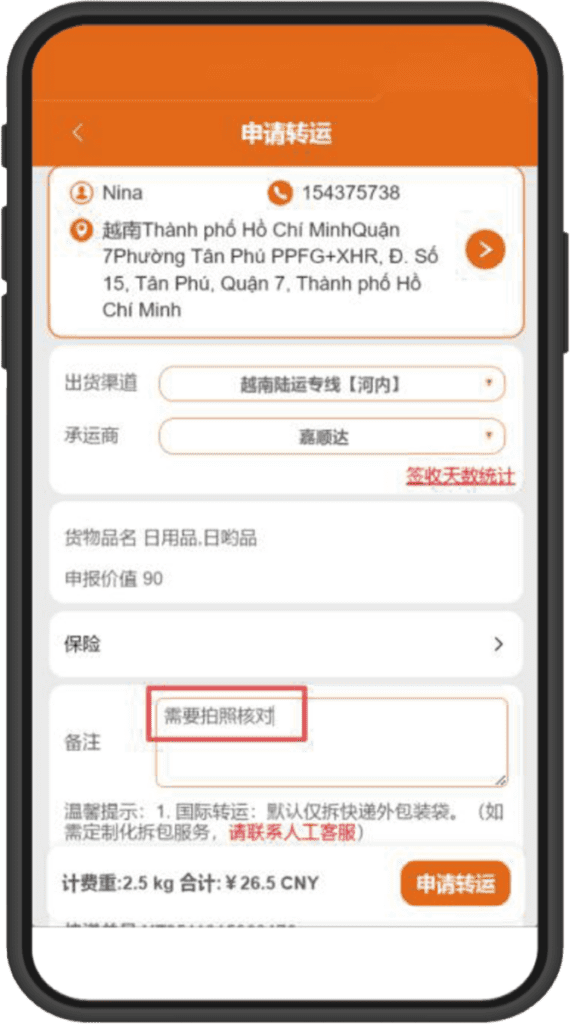
➌ Select the delivery address and shipping method,
with optional packing requirements and others
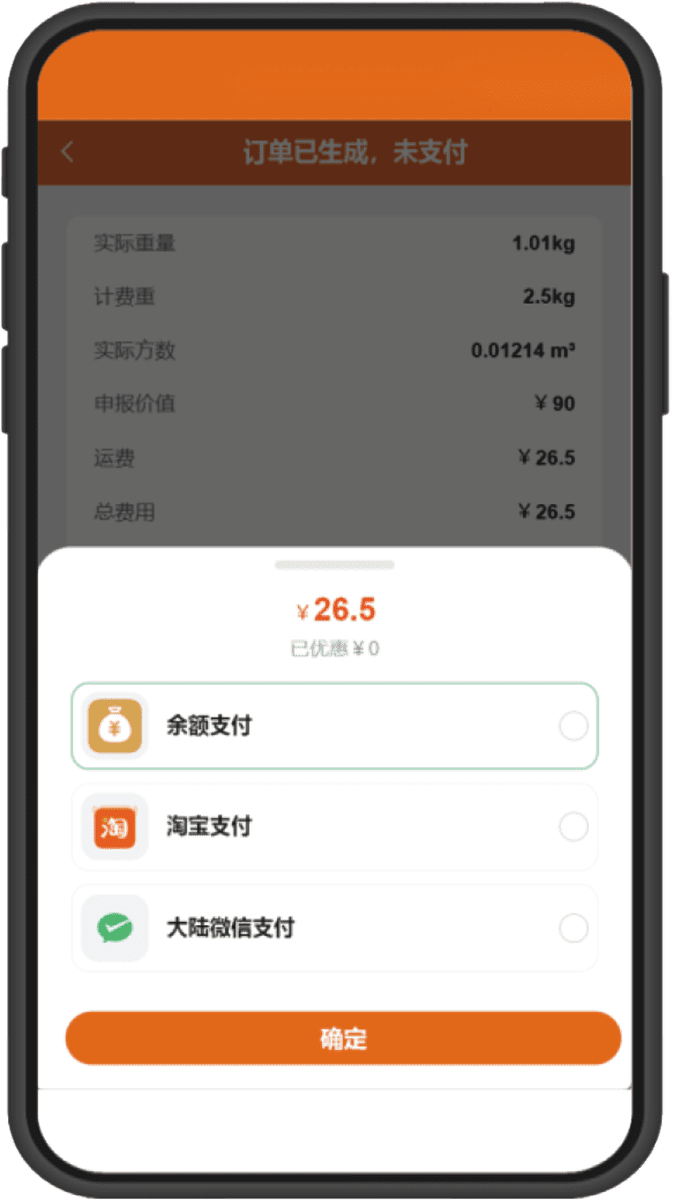
➊ After applying, the system calculates the price
You can select multiple payment methods
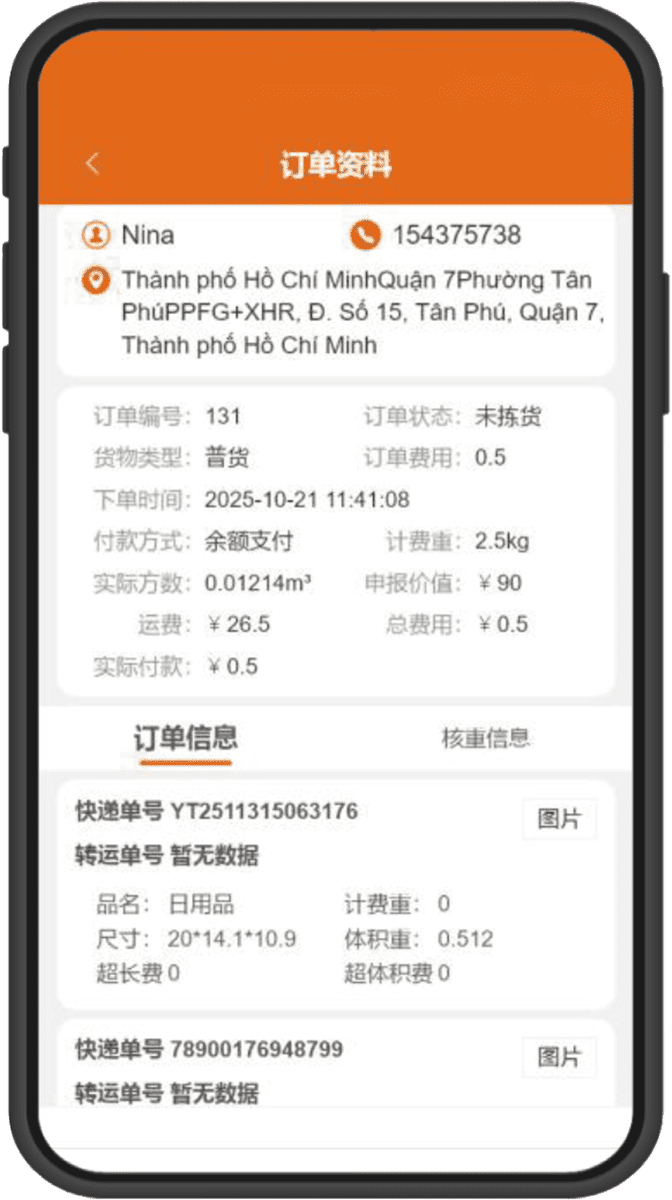
➋ Payment successful
The warehouse receives the order and ships